
Google Sheets backlink tracker vs SEOENV
A Google Sheets backlink tracker is where most link builders start, and for good reason: it’s free, everyone can edit it, and you can shape it however you like. This page is an honest look at where Sheets does the job, where it starts to strain, and what changes when the links are checked for you.
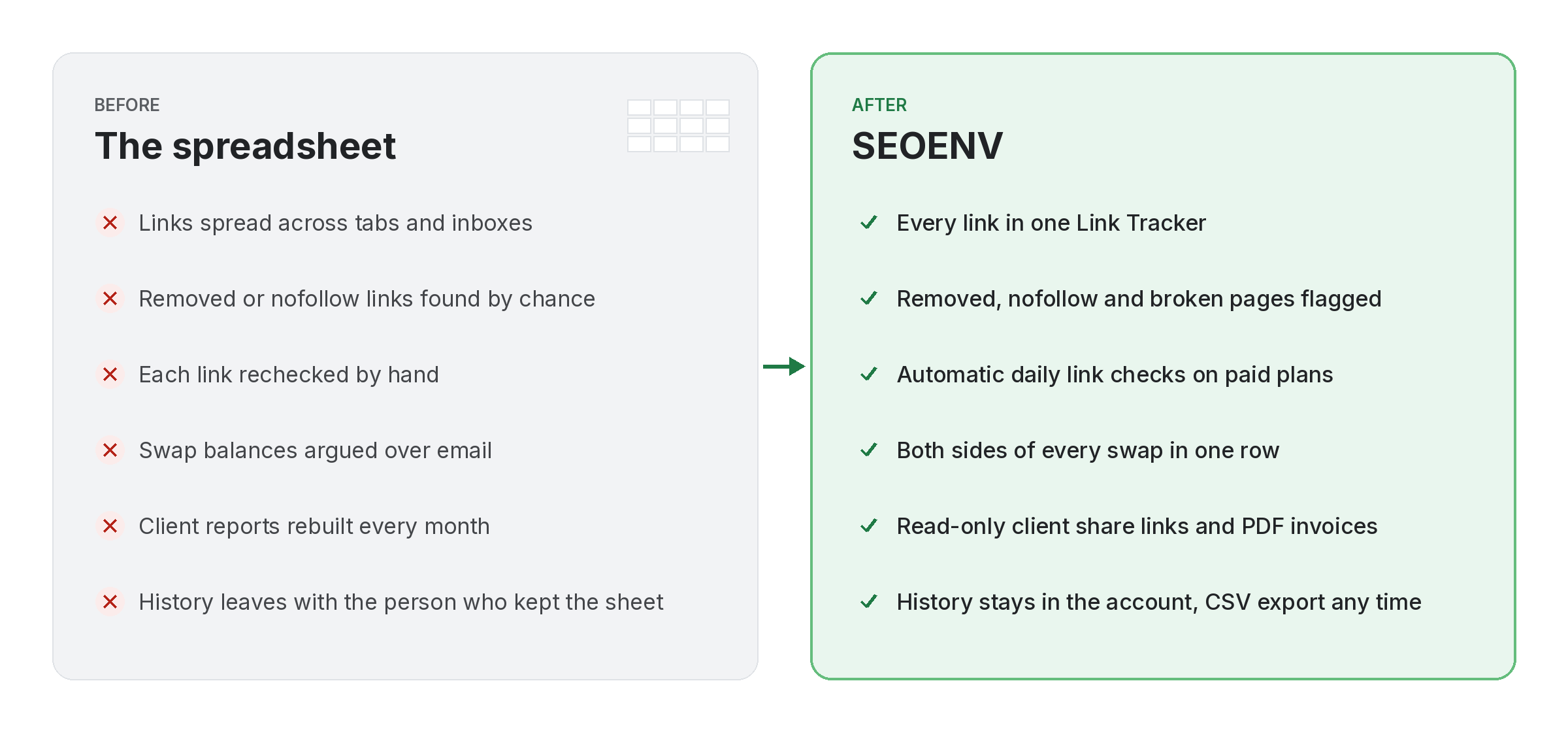
Where a Google Sheets backlink tracker starts to strain
Not on day one. Rather, Around the time the list gets long.
Because of that, First, a sheet holds whatever you type into it. That’s its strength and its limit. A status cell says “live” until someone changes it, whether or not the link is still there. With twenty links, someone can still open each one. Even so, With a few hundred across several clients, that check gets skipped.
Some teams try to automate it. Google Sheets has an IMPORTXML function that can pull data from web pages, and people use it to look for links. It can work for small lists. However, formulas that fetch pages get fragile as the list grows, and they don’t record what you agreed with each partner.
Stale statuses
Of course, a status is only true on the day someone typed it.
Lost context
In other words, Anchor, link type, partner and terms end up in a notes column, or nowhere.
Fragile formulas
Page-fetching formulas break quietly, and nobody notices until a report is wrong.
Google Sheets backlink tracker vs SEOENV, job by job
The same jobs, done two ways.
- Logging a link: in Sheets, a new row. Finally, In SEOENV, a link record with target, anchor, partner and client.
- Checking it: in Sheets, opening the page by hand or maintaining formulas. Still, In SEOENV, every logged link is checked daily on paid plans (Starter+), and Check all works on every plan.
- Spotting changes: in Sheets, only if someone rechecks. For example, In SEOENV, statuses update to Active, Lost, Broken or Pending, with Dofollow or Nofollow.
- Seeing what changed in the file: Sheets has version history, which is good for edits. Meanwhile, it doesn’t tell you what changed on the linking page.
- Sharing with clients: in Sheets, a shared file or a copy. Meanwhile, In SEOENV, a read-only client share link.
- Cost: Sheets is free with a Google account. As a result, SEOENV has a Free plan with 20 links, and paid plans from $29 a month.
When a Google Sheets backlink tracker is the right call
Be honest about it. Sometimes a sheet is enough.
If you track a small number of links for one site, check them yourself each month, and don’t share reports with clients, a sheet is simple and costs nothing. It’s also great for planning, brainstorming prospects, or anything that isn’t a live link yet.
- Small lists: a few dozen links you can usually check by hand.
- One owner: nobody else edits it.
- Planning work: prospects, ideas and drafts.
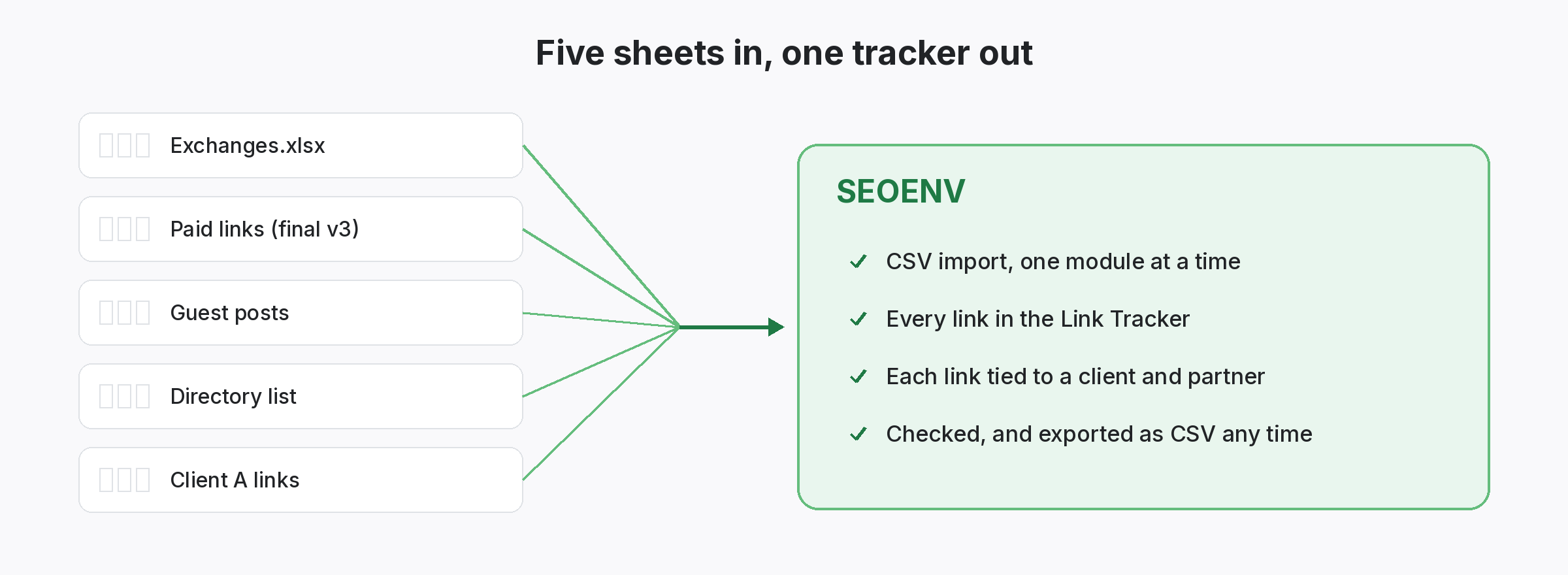
Move your Google Sheets backlink tracker into SEOENV
You don’t start from scratch.
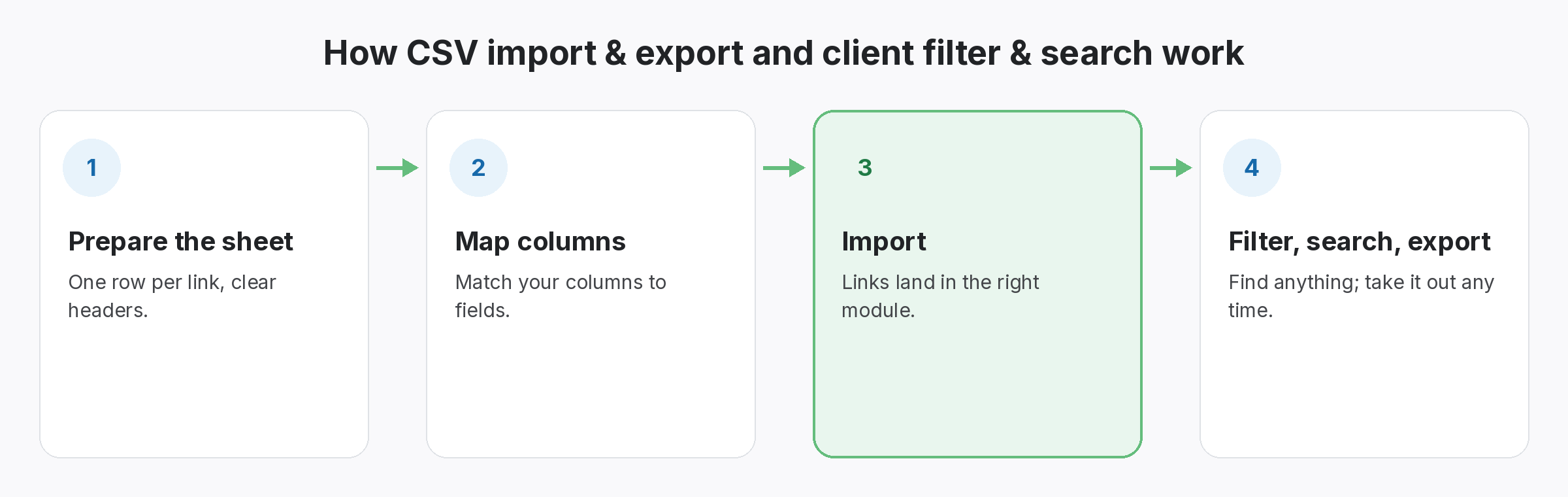
Also, Download your sheet as a CSV and import it. SEOENV maps your columns to its fields, so a column called “Live URL” or “Referring page” can go straight into the source field. After that, every imported link is checked, so the first thing you see is which statuses in the old sheet were still true.
- Download as CSV: File, then Download, in Google Sheets.
- Map columns: source, target, anchor, client, partner.
- First check: statuses replace what the sheet said.
A sheet records what you typed. Finally, a tracker checks what’s on the page.
Keep the sheet for planning. In other words, let the links be checked somewhere else.
SEOENV features that replace the sheet
On the other hand, all of these are live in the app today.
Backlink monitoring
Every logged link checked. Paid plans check daily.
Client share links
A read-only view for clients instead of a shared file.
Most of our users came from a Google Sheets backlink tracker, and plenty still use Sheets for planning. So we wrote this to be clear about which jobs a sheet does well and which ones it can’t.
Building a better Google Sheets backlink tracker in the meantime
If you’re staying on Sheets for now, a few habits help. Add a “last checked” date next to every status, keep one shared file instead of copies, and use fixed columns for anchor, link type and partner. Our link building spreadsheet template has a ready layout.
Then watch for the signs it’s time to move: checks taking longer than an afternoon, several people editing, or a client spotting a wrong status. Our guide to link building spreadsheet problems goes through each one, and the backlink spreadsheet alternative page covers spreadsheets in general.
Questions about a Google Sheets backlink tracker
Can Google Sheets check if a backlink is live?
Not on its own. Formulas such as IMPORTXML can fetch page data, but they need setting up and maintaining, and they can break as lists grow.
Instead, Is a Google Sheets backlink tracker free?
Yes, with a Google account. Then the cost is the time spent checking and updating it.
Can I import my sheet into SEOENV?
Yes. Download it as a CSV and import it. On the other hand, you can map your column names to SEOENV’s fields.
Because of that, Should I stop using Sheets completely?
No need. Instead, many teams keep Sheets for planning and prospects, and track live links in SEOENV.
How much does SEOENV cost?
Also, there’s a Free plan with 20 links, 2 clients and 2 projects. Paid plans start at $29 a month.
Bring your sheet. Get statuses you can trust.
Import your CSV. In addition, SEOENV checks every link and shows what’s live.
