
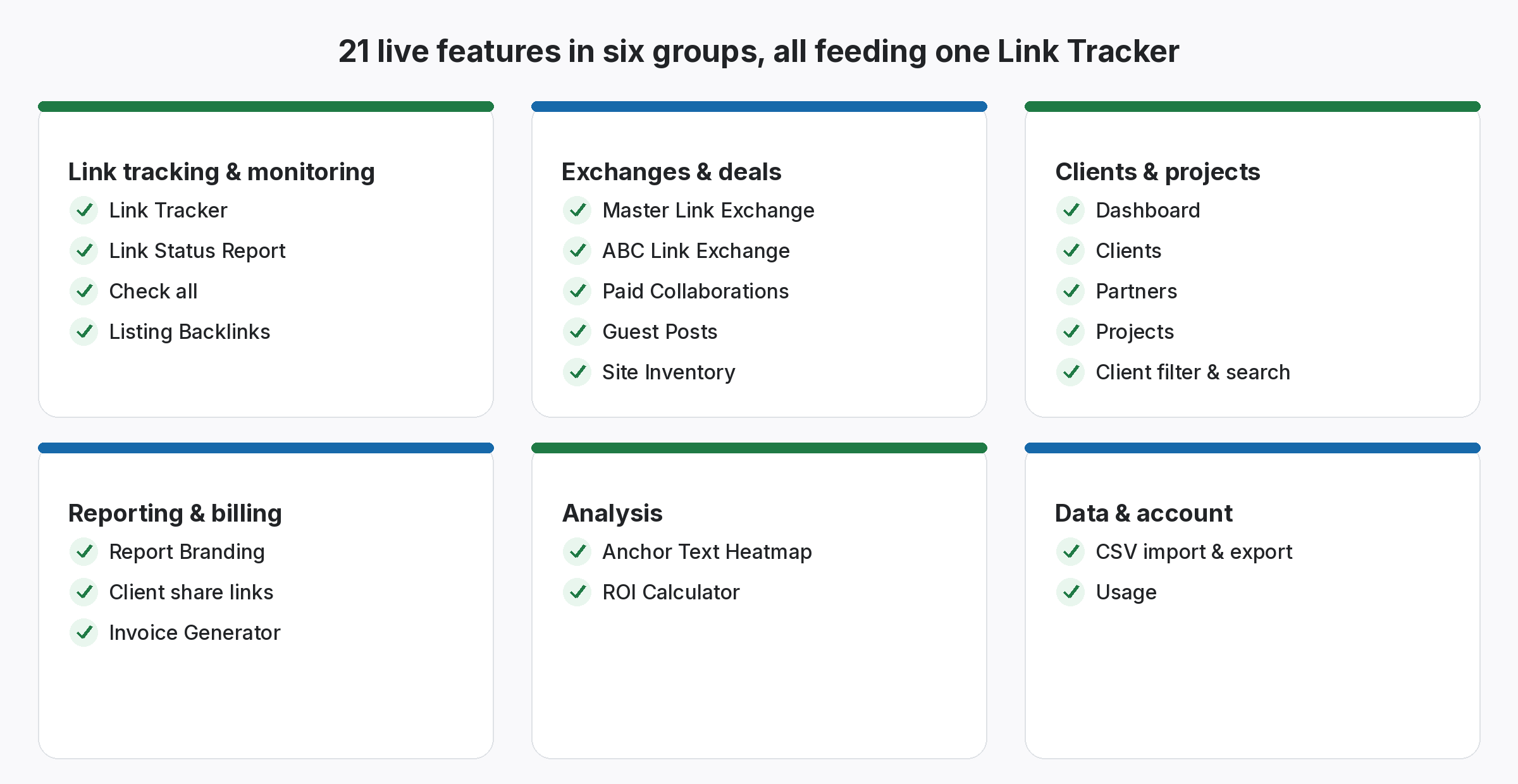
Link tracking & monitoring
Exchanges & deals
Clients & projects
Reporting & billing
Analysis
Data & account
How the backlink management features fit together
Each of these backlink management features feeds the same Link Tracker, so a link you log once can be checked, reported, analysed and invoiced. Whatever you build, keep it within Google’s link spam policies; SEOENV keeps the records that help you show it.
Looking for a workflow rather than a feature? See the solutions: backlink monitoring, link exchange tracking, abc link exchanges, paid link tracking and roi, guest post and listing tracking, anchor text analysis, client reports and invoices, agency link management, backlink spreadsheet alternative.
Questions about SEOENV features
How feature groups map to a real week of link work
Use this page as a workflow map, not a feature dump. Link tracking and monitoring (Link Tracker, Link Status Report, Check all, Listing Backlinks) cover “is it live?”. Exchanges and deals (Master Link Exchange, ABC Link Exchange, Paid Collaborations, Guest Posts, Site Inventory) cover “what did we agree?”. Clients and projects keep agency work separated. Reporting and billing (Report Branding, client share links, Invoice Generator) cover “what do we show and invoice?”. Analysis (Anchor Text Heatmap, ROI Calculator) covers “is the mix healthy and was the spend worth it?”.
Free includes 20 tracked links, 2 clients, 2 projects, 5 partners, 25 Site Inventory sites, every link type, manual Check all, CSV import and export, public share reports and the Invoice Generator. Starter ($29/mo) adds daily automatic checks, Link Status Report, PDF invoices and the ROI Calculator. Growth ($149/mo) adds the Anchor Text Heatmap. Enterprise ($499/mo) adds unlimited links, white-label on your domain and bulk CSV import.
What this hub is for (and what individual feature pages are for)
This hub answers “what does SEOENV include?”. Individual feature pages answer “how does one module work?”. Solution pages such as backlink monitoring, link exchange tracking and paid link tracking answer “how do I run this job end to end?”. If you already know the job, open the matching solution. If you are comparing plans or scanning capabilities before a trial, stay on this page and jump to the module you need.
Plan gates that matter when you pick a feature
- Check all is available on every plan; automatic daily checks start on Starter.
- Link Status Report, PDF invoices and ROI Calculator start on Starter.
- Anchor Text Heatmap starts on Growth.
- Client share links (public share reports) are included on Free.
- Report Branding (logo and colours) is on Growth; white-label on your own domain is on Enterprise.
Compare full limits on the pricing page before you upgrade for one module.
- Link Tracker — every link type in one table
- Link exchange tracking — both halves of every swap
- Paid link tracking — verify before you pay
- Client share links — reports without a client login
- Agency link management — clients, projects and shared partners