
Money goes out. Proof does not always come back.
Paid placements are the easiest links to lose and the hardest to justify.
A vendor confirms a placement by email and you pay the invoice. Three months later the article has been edited and the link is gone, or it was nofollow from the start. When the client asks what the budget bought, the cost is in one file and the links are in another.
The cost of an unverified placement is not just the fee. It is the client conversation when they find the link missing before you do, and the budget review where nobody can show which vendors delivered. A paid link is only an asset while it is on the page, so the record of the deal and the record of the link need to live together and be checked on a schedule, not when someone remembers.
The deal and the link, together.
Vendor, cost, payment status and reference per placement.
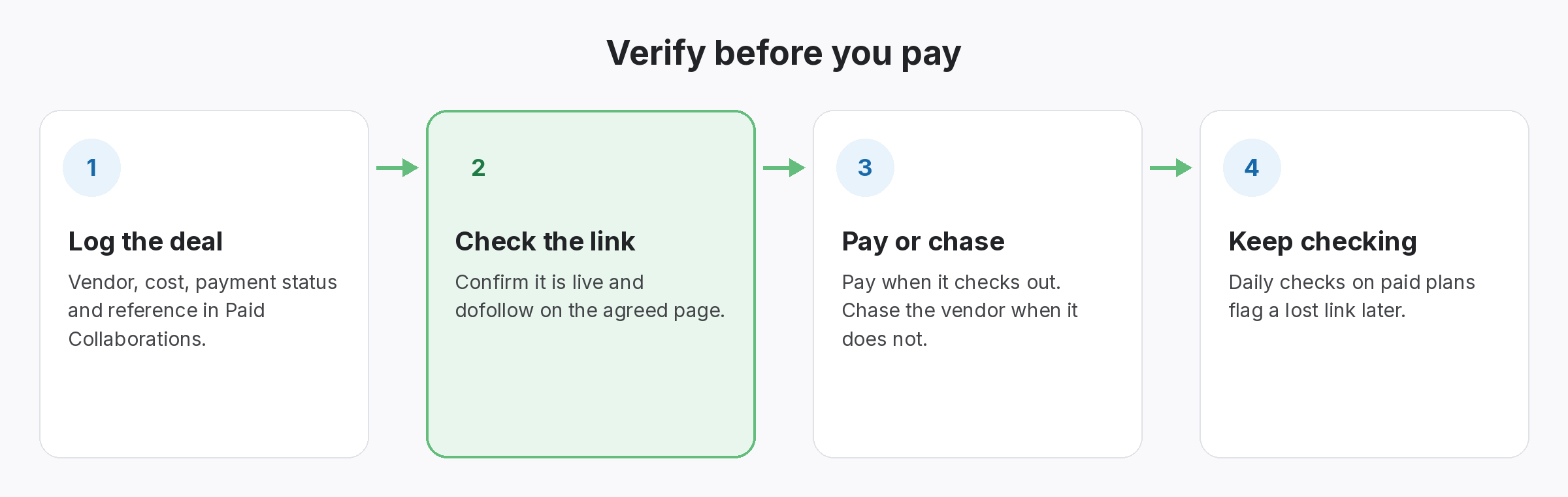
Each paid placement is logged with its vendor, cost, payment status and reference, next to the link itself. Because the link is checked, you can see it is Active and Dofollow before the payment goes out.
See what each deal returned.
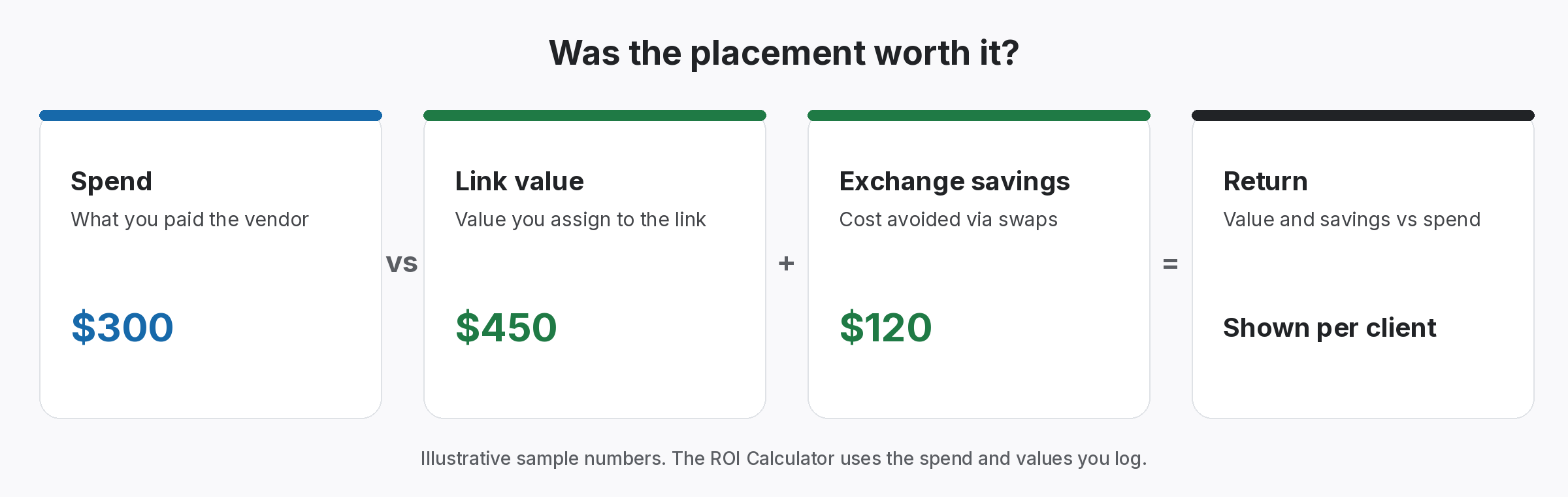
Spend, link value and exchange savings side by side.
The ROI Calculator compares what you spent with the value you assign to the links and the cost you avoided through exchanges, per client and link type. It uses only the figures you log.
A checklist for paid placements.
Check it. Then pay for it.
Proof and payment in the same record.
The tools behind paid link tracking.
Every feature listed here is live in the app today.
SEOENV does not sell links and does not broker placements. It records the ones you already agreed. Google’s spam policies treat paid links meant to pass ranking signals as link spam, so qualify paid placements with rel=”sponsored” or nofollow where they apply.
The SEOENV team · Last updated 14 October 2026
Who uses this.
Where this fits in SEOENV.
Paid link tracking and the sponsored attribute
Paid link tracking also means recording how each link is marked. For example, Google asks that paid links use rel=sponsored or nofollow, and it lists buying links that pass ranking credit under link spam. Therefore, log the rel value with each deal.
Meanwhile, the ROI side links to link building reports. Also see backlink monitoring, guest post tracking and the backlink manager overview.
Paid link questions.
Verify-before-pay workflow (accounts and outreach together)
- Log the deal in Paid Collaborations with vendor, cost, currency, payment status and invoice/order reference.
- Link the vendor contact in Partners so terms and past deals stay with the person, not an inbox.
- Run Check all and confirm the live URL, anchor and rel value match the agreement.
- Only then mark the payment. If the link is Lost, Broken or unexpectedly Nofollow, chase with the evidence in the same row.
- At month end, raise client invoices from paid collaborations in the Invoice Generator and export PDF where your plan allows.
SEOENV does not sell or broker links. It records placements you already agreed elsewhere and helps you prove they stayed live.
Recording rel=sponsored without losing the payment trail
Google asks that paid links meant to pass ranking signals use rel="sponsored" or nofollow, and lists buying links that pass ranking credit under link spam. Log the agreed rel and the found rel on each placement. When they differ, the row is your chase script. Proof of placement and payment still live together, so finance and SEO are looking at the same deal.
For a deeper proof workflow, see proof of placement. For spend vs value, open the ROI Calculator (Starter+; Growth adds revenue tracking).
What to show a client when they ask “what did the budget buy?”
Filter Paid Collaborations by client and project. Show Active vs Lost/Broken counts, costs, vendors and whether each link matched the agreed rel. Pair that with a client share link so they can open the live statuses without another login, and keep the invoice line items aligned with the same placements.