
Automatic backlink checker: every link you built, checked each day
SEOENV’s automatic backlink checker visits the page behind each link you log, confirms your link is still there and reads its rel value. On Starter, Growth and Enterprise it does this every day, without anyone pressing a button.
Why an automatic backlink checker beats manual rechecks
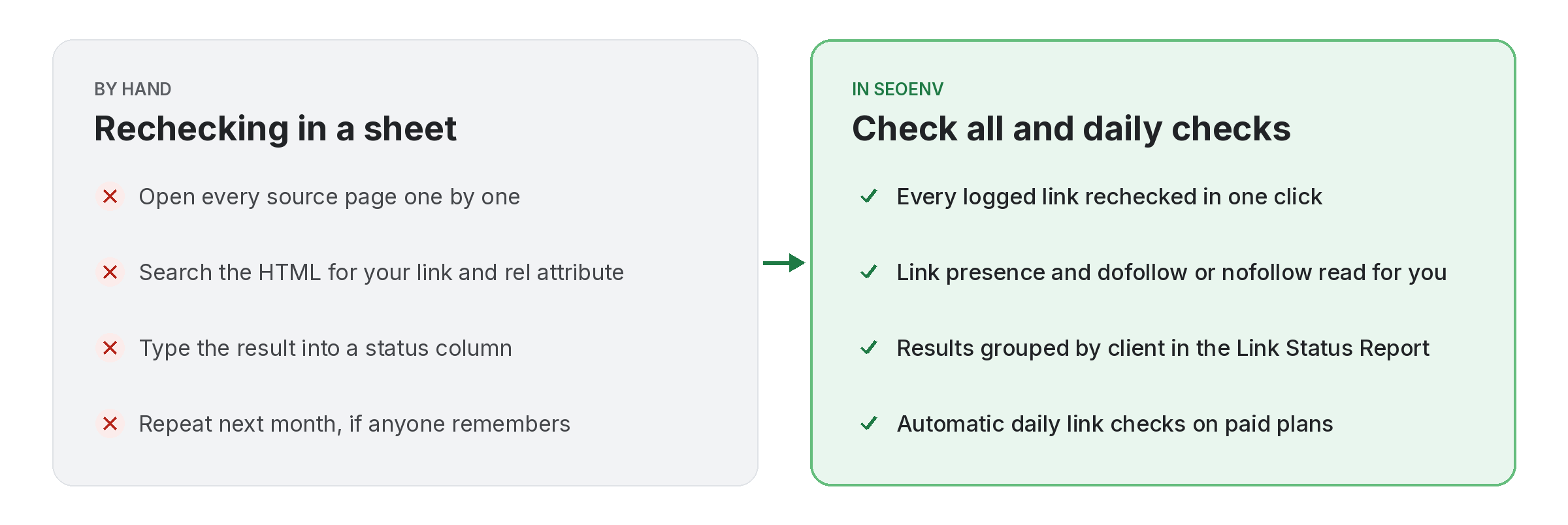
Everyone means to recheck links monthly. Very few teams keep it up.
Rechecking links by hand is dull work. Then you open the page, search for your domain, check the source for nofollow, and update a cell. Then you do it again for the next row. After a few hundred rows, it quietly slips to quarterly, then to never.
Meanwhile, publishers keep editing. Finally, Posts get refreshed, templates change and old pages get deleted. Meanwhile, picture a freelancer with three hundred placements across a dozen clients. Still, Without an automatic backlink checker, the first sign of a removal is often a client asking about it.
It takes hours
Each manual check is quick. Hundreds of them every month are not.
It drifts
Monthly rechecks become quarterly, then stop when a busy period arrives.
It misses rel changes
Seeing a link on the page does not tell you whether it is still followed.
Inside a single automatic backlink checker run
Three questions, asked of every link you log.
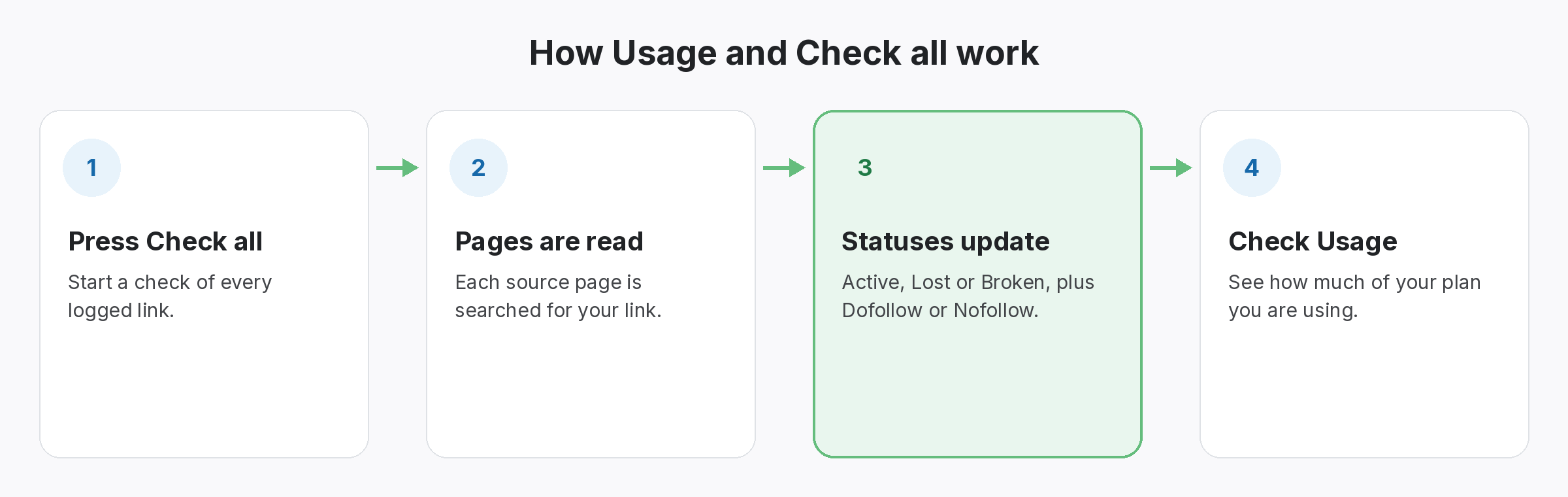
Because of that, each check fetches the source page, looks for your link and reads its rel attribute. Even so, the answer becomes the link’s status and type in the Link Tracker.
- Does the page load? If not, the link shows as Broken.
- Is your link on it? If the page loads but your link has gone, it shows as Lost. If it is there, it stays Active.
- Is it followed? The type shows as Dofollow, Nofollow or Unknown, read from the rel value.
Which plans include the automatic backlink checker
Daily on paid plans. Manual on Free.
For example, the automatic backlink checker is part of every paid plan. On the Free plan you check links yourself with Check all, which any plan can also use when it wants an answer before the next daily run.
- Free: 20 links, checked when you press Check all.
- Starter ($29/mo): 500 links, checked daily, plus the Link Status Report.
- Growth ($149/mo): 5,000 links, checked daily, plus the Anchor Text Heatmap.
- Enterprise ($499/mo): unlimited links, checked daily.
Getting the most from an automatic backlink checker
- Import before you rely on it. Bring your existing sheet in by CSV, then run Check all once so nothing sits as Pending.
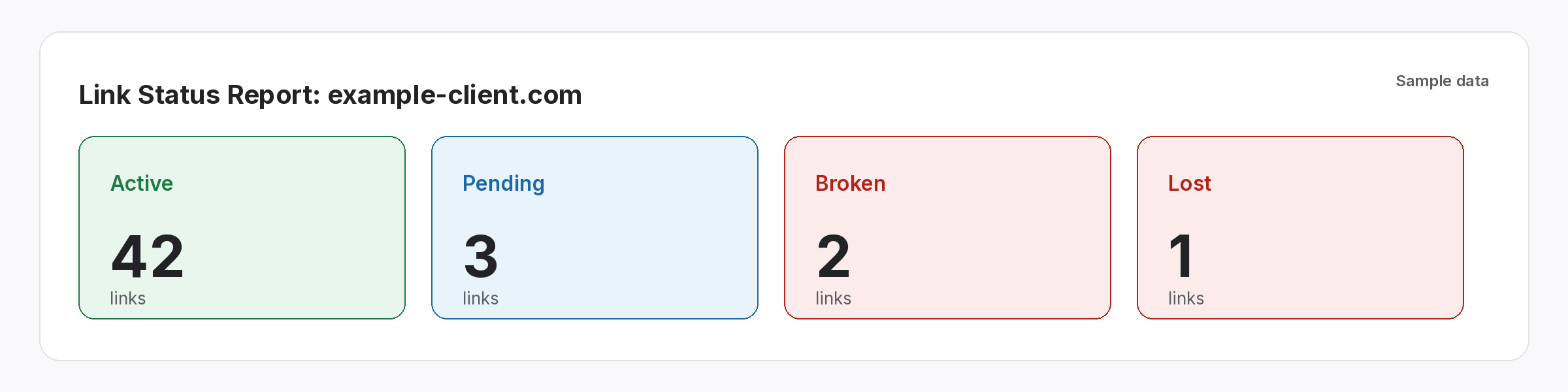
- Open the report before client calls. For example, the Link Status Report shows one client’s Active, Pending, Lost and Broken links in one place.
- Read the type, not only the status. An Active link that has turned Nofollow still needs a conversation if you agreed a followed link.
- Use Check all after a fix. When a partner says a link is back, recheck straight away instead of waiting for tomorrow.
Log a link once. It gets checked every day after that.
No reminders to set, no rows to tick, no Monday-morning spreadsheet.
Where automatic backlink checker results show up
Every module writes to the same account, so one check feeds every view.
Link Tracker
Rather, every link from every module, with its latest status and type.
Link Status Report
Active, Pending, Lost and Broken links, per client.
Usage and Check all
As a result, Recheck everything on demand, and see how much of your plan you use.
Client share links
A read-only report link for clients. No login needed.
We built checking first because lost links cost us the most in our own client work. SEOENV checks the specific links you log. Then it is not a web index, and it does not discover links you did not build.
An automatic backlink checker vs an index-based backlink tool
However, most tools sold as a backlink checker crawl the web and report links they find to your domain. That is useful for research. However, it answers a different question. An index shows links it has discovered, on its own crawl schedule, whether or not you built them. For that discovery side, see our guide on how to find backlinks to your website.
An automatic backlink checker for built links starts from your list instead. It visits the exact page where each placement lives and reads the rel value the way Google describes in its guide to qualifying outbound links. Many teams use both: an index for discovery, and their own list for the links they are accountable for.
If you are deciding how often to look, our guide on running a backlink audit covers the wider review. For the full monitoring setup, see backlink monitoring or compare plans and limits.
Questions about the automatic backlink checker
How often does the automatic backlink checker run?
Daily, on the Starter, Growth and Enterprise plans. On the Free plan you run checks yourself with Check all.
What does each check look at?
Still, it fetches the source page, looks for your link and reads its rel attribute. At the same time, the result is a status (Active, Lost or Broken) and a type (Dofollow, Nofollow or Unknown).
Does it find new backlinks I did not log?
No. SEOENV checks the links you add or import. It does not crawl the web for other links to your site.
Can I check a link straight away?
Yes. Also, check all rechecks every logged link on demand, on any plan.
What if a link shows the type Unknown?
Of course, Unknown means the type has not been confirmed as Dofollow or Nofollow. After that, open the source page to check the rel value yourself, or run Check all again.
Is there a free backlink checker plan?
Yes. The Free plan tracks up to 20 links, and you can run Check all on them whenever you like. Automatic daily checks start on the Starter plan.
How do I check backlinks I have already built?
Add them to Link Tracker one at a time or import a CSV, then run Check all. Each link comes back Active, Lost or Broken, with its type shown as Dofollow, Nofollow or Unknown, so you can check back links from every partner in one pass.
Do I still need an index-based backlink checker tool?
For finding links you never logged, yes. Index tools crawl the web and show links you did not know about. For links you placed yourself, such as exchanges, guest posts or listings, a backlinks checker that visits each source page tells you directly whether the link is still there. Plenty of teams use both.
Can I check my backlinks for one client at a time?
Yes. Filter Link Tracker by client to see the latest status of each of that client’s links, or send them a read-only share link instead of a spreadsheet.
Stop rechecking links by hand.
Finally, Import your links, run Check all once, and let paid plans check them every day.
