
Link reclamation workflow: get the links you built back on the page
Link reclamation is simple in theory. You notice a link has gone and ask for it back. In practice, it fails because nobody owns the follow-up. At the same time, this workflow gives every lost link a status, an owner, the right ask and a recheck.
Why link reclamation fails: lost links get noticed, then forgotten
Finding the gap is the easy part. Closing it needs a process.
Most teams do spot lost links eventually. However, Someone runs a report, sees a few red rows, and makes a mental note to email the site owner. Then a new campaign starts and the note disappears.
Picture an agency with forty active clients. On the other hand, a dozen links drop in a month, spread across different partners. Meanwhile, Without a shared list, each one depends on whoever happened to see it. Link reclamation works when it is boring and repeatable, not when it relies on memory.
No owner
Everyone saw the lost link. Nobody was sure it was their job to chase it.
Wrong ask
In fact, a removed link and a deleted page need different emails. Instead, Editors ignore one template that tries to cover both.
No record
The partner replied, but the answer lives in one person’s inbox. Next month you ask again.
Link reclamation starts with sorting each gap by cause
Each status points to a different conversation.
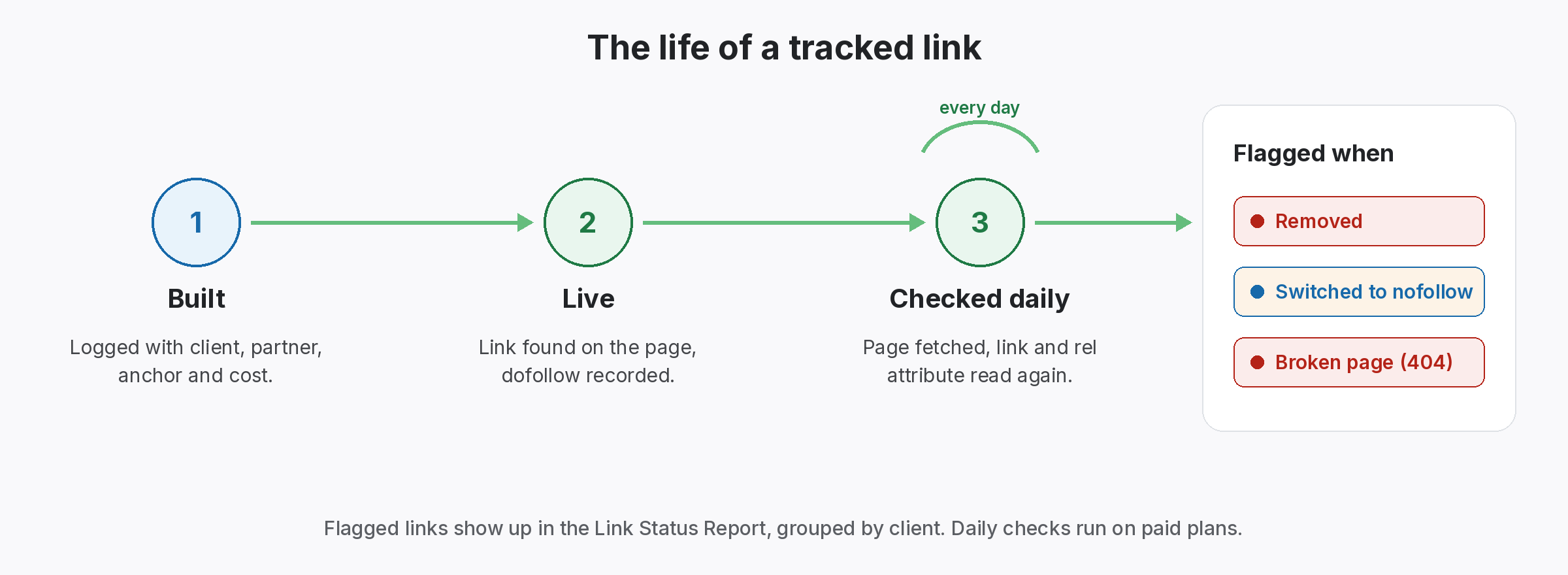
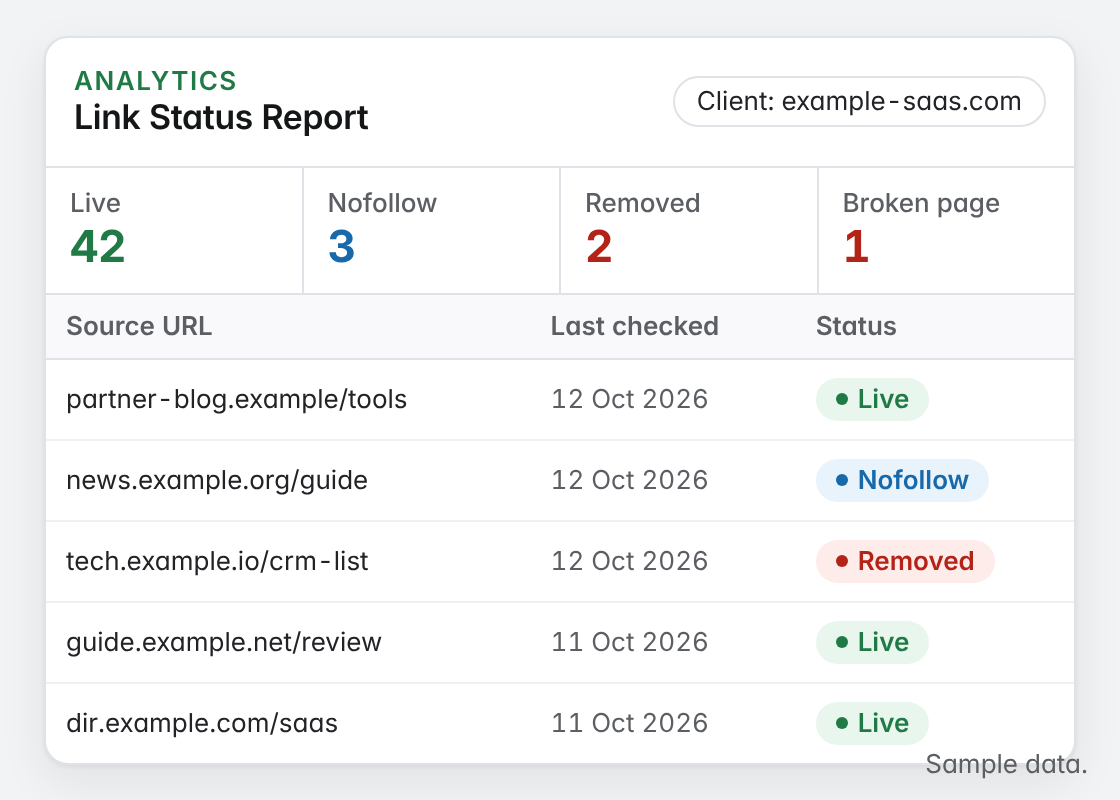
Of course, every check fetches the source page, looks for your link and reads its rel attribute. The Link Status Report then lists the links that need attention, one client at a time. Sort them before you write a single email.
- Lost: the page still loads but your link is gone. This is a partner conversation.
- Broken: the page itself no longer loads. This is a site problem, so ask for a restore or a redirect.
- Active but Nofollow: the link is there but no longer followed. Raise it if the deal said otherwise.
Who to contact for link reclamation
In other words, the fastest reply comes from whoever agreed the link.
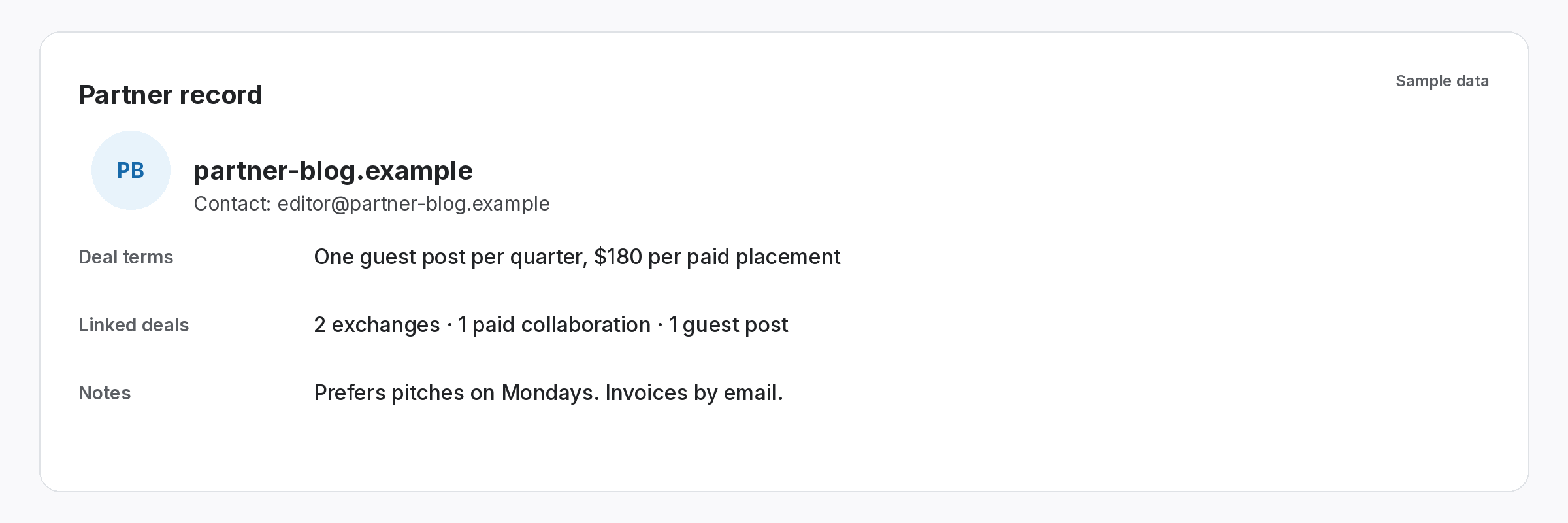
A generic contact form is the slowest route back. Also, In SEOENV, each partner record keeps the contact, the terms you agreed, notes and the deals linked to them. So the right name and the original agreement are one click from the lost link.
- Contact: who to email, and who agreed the placement.
- Terms and notes: what you both agreed, in your own words.
- Deal history: every link you have with that partner, so you can see whether the same change hit other links too.
Send a link reclamation ask that matches the cause
Short, specific and easy to say yes to. Adjust the wording to your own voice.
- For a Lost link: “Hi [name], we noticed [post URL] no longer links to [page], maybe after an update. Could you add it back? Happy to suggest a better anchor if the copy changed.”
- For a Broken page: “Hi [name], [post URL] now returns an error. If the post moved, a redirect to the new address would keep it working for readers. If you retired it, is there a related page where the link would fit?”
- For a Nofollow switch: “Hi [name], the link on [post URL] now carries nofollow. Our notes say we agreed a followed link. Was the change deliberate?”
- Keep it to one follow-up. If there is no reply after a week, send one polite nudge. After that, record the outcome and move on.
Log the reply and recheck the link
Also, the step most teams skip, and the one that makes link reclamation stick.
- Write the outcome on the link record. Note what you asked, when, and what the partner said. The next person sees the full story.
- Recheck once they confirm the fix. Run Check all, which works on every plan, so the status updates straight away instead of waiting for the next daily check.
- Close it or replace it. If the link is back, it returns to Active. If it is not coming back, note that on the record and plan a replacement placement elsewhere.
A lost link you never chase is a link you built twice.
Link reclamation costs one email. Replacing the link costs a whole new placement.
The SEOENV features behind this link reclamation workflow
All of these are live in the app today.
Backlink monitoring
Every link you build, checked and given a status. Paid plans check daily.
Link Status Report
Because of that, Lost, Broken and Nofollow links per client, ready for follow-up. From Starter.
Partners
Instead, Contacts, terms, notes and deal history for everyone you work with.
Check all
So Recheck every link in one click once a partner says the fix is live.
So the hard part of link reclamation was never the email. In addition, it was knowing which links had gone, why, and who had already chased them. We built SEOENV’s statuses and partner records so that answer sits next to the link.
Link reclamation for links you built vs mentions you earned
The phrase link reclamation covers two jobs. As a result, One is turning unlinked brand mentions into links. After that, the other, which this page covers, is getting back links you already had. The second is usually quicker, because you have a contact and an agreement to point to.
Speed matters for a practical reason. When a page moves, a permanent redirect is the clean fix, and site owners are more willing to add one while the change is fresh. If you want the longer guide, including more email examples, read how to reclaim lost backlinks. For the causes behind most drops, see why backlinks disappear.
Questions about link reclamation
What is link reclamation?
As a result, it means getting back a link that used to exist, or one a partner agreed to place. For example, For built links that usually means asking a partner to restore a removed link or fix a broken page.
How do I know which links need reclaiming?
Log your links and check them. Then In SEOENV each check reports Active, Pending, Lost or Broken, plus Dofollow or Nofollow. Finally, Paid plans check daily, and Check all works on every plan.
What is the difference between Lost and Broken?
Lost means the page loads but your link is no longer on it. Meanwhile, Broken means the page your link sat on no longer loads.
How long should I wait for a reply?
A week is a reasonable gap before one follow-up. After that, record the outcome and decide whether to replace the link.
Does SEOENV send the reclamation emails?
Rather, No. SEOENV tracks the links, statuses and partner details. In fact, you send the email from your own inbox and log the outcome on the link.
Give every lost link a status and an owner.
Log your links once. In other words, SEOENV checks them and shows which ones need a reclamation email.
