
Proof of placement: show clients every link is real and still live
Proof of placement only works if clients can check it themselves. Also, Good proof gives them the live page, the anchor, the target and a recent check, in a form they can open. A screenshot from launch day is not enough.
A list of URLs is not proof of placement
Clients rarely say they doubt you. They just stop renewing.
However, Too often, a link report is just a spreadsheet of URLs sent at the end of the month. As a result, the client has no easy way to tell which links are still there, which are followed, or whether the list matches what went live.
Instead, picture a marketing manager who has never met the link builder. They get a monthly list. So they click three links at random. One page is gone and another has a nofollow they cannot see. After that, every report is under suspicion.
Screenshots age
A capture from launch day says nothing about whether the link is there today.
Lists hide changes
Of course, a static list does not show links that were removed or switched to nofollow.
Clients cannot verify
If proof needs a login or a long explanation, most clients will not check it.
Five things that make proof of placement convincing
Even so, each one answers a question a sceptical client will ask.
- The live source URL. A link they can click to see the page, because nothing beats seeing it themselves.
- The anchor and the target page. Meanwhile, that way they can match the link to the page you were working on.
- The current status. Active, Lost, Broken or Pending, from a recent check rather than from launch day.
- The link type. Also, Dofollow or Nofollow, read from the rel attribute on the live page.
- Honesty about losses. Because of that, Show the Lost and Broken links too, with what you are doing about them. Hiding them costs more trust than the losses themselves.
Share proof of placement as a read-only link
Clients open it in a browser. No account, no login.
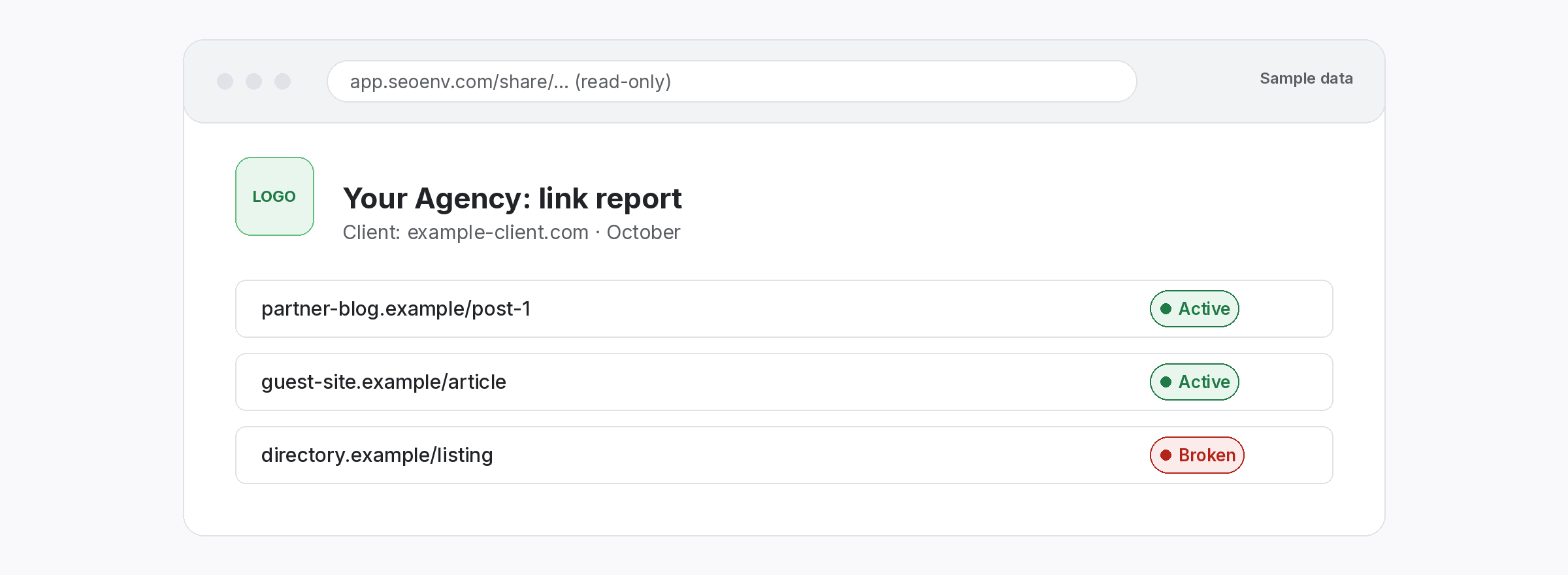
So Client share links give a client a read-only view of their links. You send a link, and then they see the current picture whenever they open it. Share links are on every plan, including Free.
- Read-only: clients can look but cannot change anything.
- No login: nothing to sign up for on their side.
- Always current: statuses reflect the latest checks, daily on paid plans.
How to send proof of placement each month
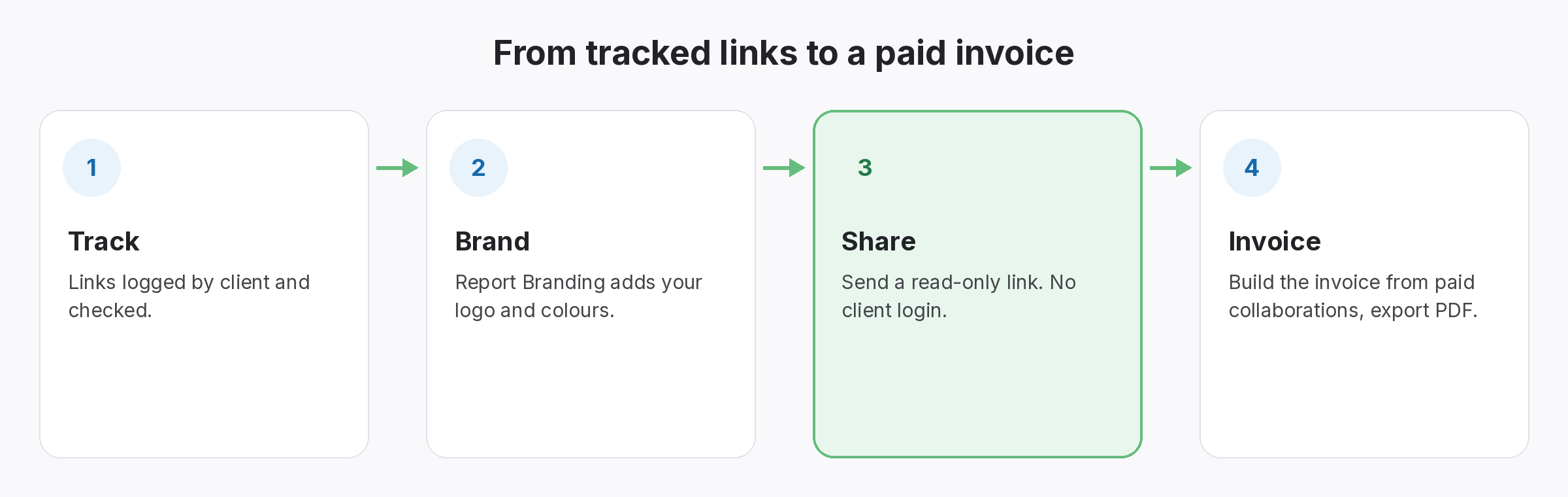
- Run Check all before you send. So the statuses reflect today, not yesterday’s daily check.
- Open the Link Status Report for the client. At the same time, First, review the Lost and Broken links and note your next step for each. From the Starter plan.
- Send the share link with two lines of context. After that, New links this month, any losses, and what you are doing about them.
- Keep the CSV as your own record. Export is available on every plan, so you can keep a dated copy.
Proof a client can check beats proof you have to explain.
In fact, Give them the live picture and let the links speak for themselves.
Features behind client-ready proof of placement
All live in SEOENV today.
Client share links
A read-only report link. No client login needed. Every plan.
Link Status Report
Rather, Active, Pending, Lost and Broken links per client. From Starter.
Link building reports
As a result, how agencies structure monthly link reporting for clients.
Then In our own client work, the hardest conversations were never about lost links. They were about links that were fine, but that the client had no way to check. So we built read-only share links: the client checks the evidence themselves, whenever they want.
Proof of placement and the link types clients ask about
Sooner or later a client will ask why some links are nofollow. So have a plain answer ready. Google explains nofollow, sponsored and ugc in its guide to qualifying outbound links, and some placements are expected to carry them. Proof of placement that shows the type up front avoids a surprise later.
For report structure, see our link building report template. If clients ask what you track and why, the link building KPIs guide is a good place to start.
Questions about proof of placement
What counts as proof of placement?
For example, the live source URL, the anchor and target, the current status from a recent check and the link type. Also, clients should be able to open it themselves.
Are screenshots good enough?
They prove a link existed on one day. However, they say nothing about today. Instead, a current status from a recent check is better evidence, and a client can open the page to confirm.
In fact, Can my client see the links without an account?
Yes. Finally, Client share links are read-only and need no login. They are available on every plan, including Free.
Should I show lost links to clients?
Yes. In our experience, showing them with a plan to reclaim or replace builds more trust than a report where nothing ever goes wrong.
Can I put my agency’s branding on it?
In other words, Report Branding adds your logo and colours on the Growth plan. A custom domain is available on Enterprise.
Send proof your clients can check.
In addition, Log your links in SEOENV and share a read-only view with each client.
