
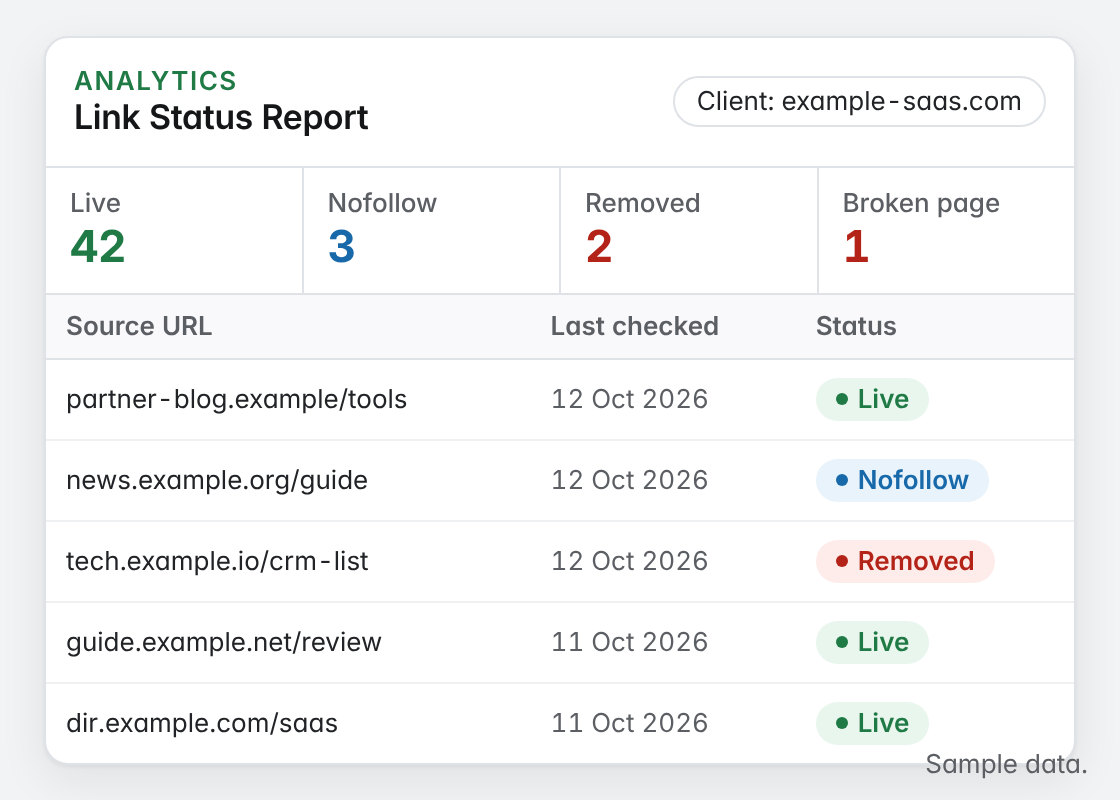
A backlink audit template gives you one row per link, so you can see what is live, what changed and what needs action. In short, this version is built for the links you created or arranged, not every link on the web. Then download the CSV, fill it from a fresh check and decide an action for each row.
Backlink audit template for the links you built
Backlink audit template
One row per link you built or arranged. Fill the status columns from a fresh check, then decide an action for each row.
| Linking page | Target page | Anchor | Link type | Status | Rel value | Relevant (Y/N) | Action | Notes |
|---|---|---|---|---|---|---|---|---|
| blog.example/kitchen-guide | /kitchen-taps/ | kitchen tap guide | Guest post | Active | Followed | Y | Keep | Strong page; still gets traffic |
| news.example/local-firms | / | Acme Plumbing | Mention | Lost | – | Y | Ask to restore | Removed in an update; contact the editor |
| dir.example/plumbers | / | acme.example | Listing | Active | Nofollow | Y | Keep | Directory listing; nofollow is normal |
| spam.example/links-page | /emergency-plumber/ | emergency plumber | Unknown | Active | Followed | N | Review | Not built by us; check whether it is part of a pattern |
The CSV opens in Google Sheets, Excel or Numbers.
Why a backlink audit template helps
Links change after they go live.
Even links you built six months ago may not look the same today. Often, editors update articles, sites redesign and attributes change. If nobody checks, reports keep counting links that are gone. So an audit, with a simple backlink audit template, shows the real picture.
For example, picture an agency preparing for a client review. To begin with, it fills the template from a fresh check and finds that most links are fine, a handful were removed and two switched to nofollow. Then it decides an action for each one before the meeting, instead of discovering problems in front of the client.
Lost links
Links removed during updates or redesigns.
Changed attributes
Followed links that later became nofollow or sponsored.
Wrong targets
Links pointing at pages that moved or no longer fit.
What each backlink audit template column records
Keep it to columns you can fill when you run a check.
- Linking page and target: where the link is and where it points.
- Anchor and link type: the clickable text, and whether it was a guest post, swap, listing or mention.
- Status: Active, Lost, Broken or Pending, from a fresh check.
- Rel value: followed, nofollow, sponsored or ugc.
- Relevant: whether the linking page fits the target.
- Action and notes: keep, ask to restore, retarget or review, with a reason.
How to fill the backlink audit template
Check first, then decide.
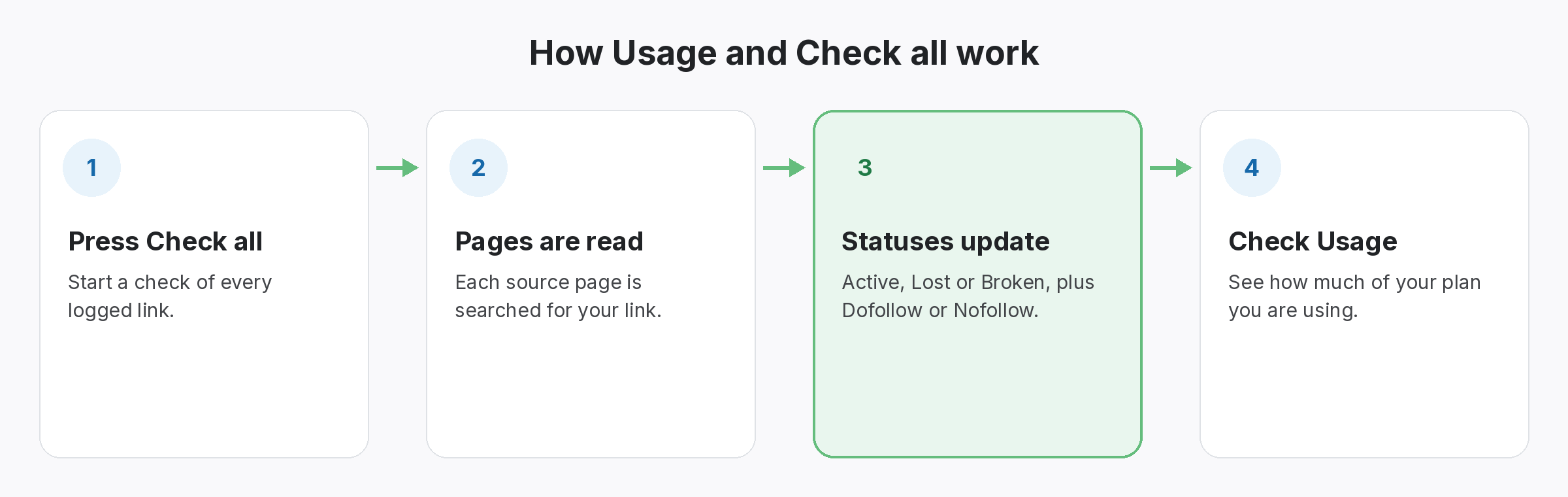
To begin with, export your link records into the template. Then check every link, so the status and rel columns reflect today, not the day the link went live. After that, mark relevance and choose an action. Google’s guide to qualifying outbound links explains the rel values you will see.
- Step 1: export your link records first.
- Step 2: check every link and update status and rel.
- Step 3: finally, choose an action for each row.
Turn the backlink audit template into actions
Every row needs a decision.
Most rows will say “keep”. For lost links, though, decide whether to ask the editor to restore them. Then, for links pointing at moved pages, update redirects or ask for a new target. For links you did not build that look unnatural, review them before doing anything; most low-quality links are simply ignored by search engines.
- Keep: live, relevant links.
- Restore: valuable links that were removed, if the editor agrees.
- Review: unfamiliar links that might be part of a pattern.
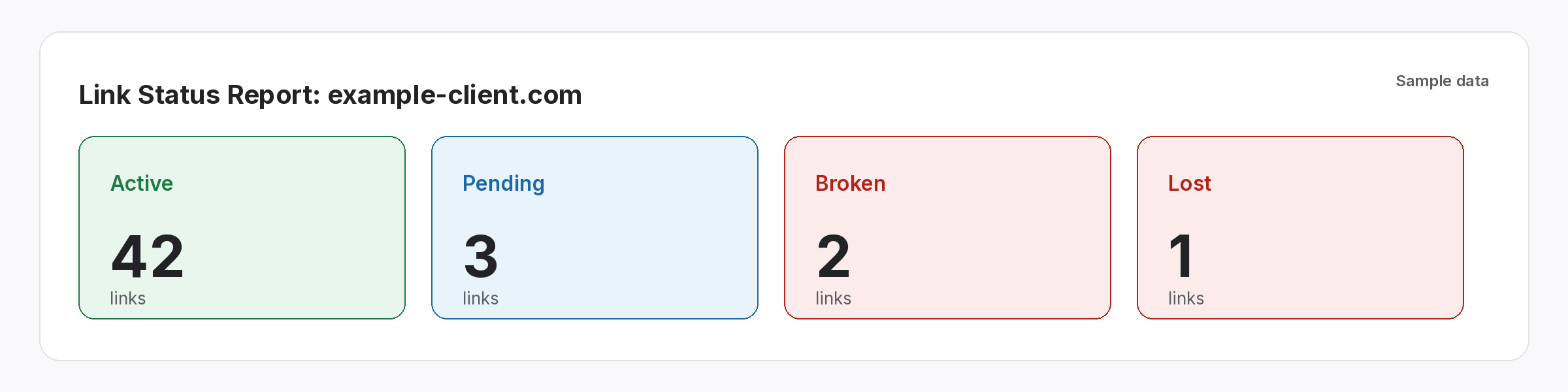
An audit is only as good as its last check.
Refresh the status columns before every review.
SEOENV features that fill the template for you
All of these are live in the app today.
CSV import and export
Export links into the template, or import them.
Most audit templates are built for every link a tool can find. Link builders usually need to audit the links they built, so we made a template for that job.
When to run a backlink audit template review
Ideally, run it before client reviews, after a client’s site redesign and at least once a quarter. If you also need to audit every link pointing at a site, our backlink audit guide covers the wider process, and our guide to toxic backlinks explains why most low-quality links need no action.
For lost links, our guide on how to reclaim lost backlinks covers what to say to editors. Because many losses follow patterns, note the reason for each one; after a few audits, you will see which partners and site types keep links live.
Questions about the backlink audit template
What is a backlink audit template?
A spreadsheet with one row per link, recording where it is, where it points, its status, its rel value and an action.
Is this template for every link to my site?
Mostly, it is built for links you created or arranged. A full audit of every link needs a crawler-based tool as well.
How often should I audit links?
Before client reviews, after site redesigns and at least once a quarter.
Should I disavow links found in an audit?
Usually not, because disavowing is for clear patterns of unnatural links or a manual action.
Can I import the template into SEOENV?
Yes, once you save it as a CSV, import it and map the columns to SEOENV fields.
Can I use this template for backlinks analysis?
Yes, for the links you built or were given. Each row records the source page, target, anchor, rel value and status, which covers most backlinks analysis for a client or campaign. For links you never logged, export them from an index tool first and paste them in.
Do I need backlink analysis software as well?
Not for a first audit. A spreadsheet is fine for a few hundred links. Once you are checking the same links every month, a tool that rechecks each source page saves the chore; SEOENV does that for every link you import.
What should a backlink audit tool check on each link?
Whether the page still loads, whether your link is still on it, its rel value and its anchor. Those four answers tell you whether to keep a link, chase it or let it go.
Fill the status columns from real checks.
Import your links, then SEOENV checks each one and shows its current status.
