
Guest post backlink checker: confirm your link made it into the live post
Paste the published post into this free guest post backlink checker and it finds every link to your site. It shows the anchor, rel value and where on the page each link sits, then compares them with what you agreed.
Check the links in a published guest post
Paste the HTML source of the live post and your domain. The checker finds every link to your site and tells you its anchor, rel value and where it sits on the page. Add what was agreed to compare it.
Runs in your browser. Nothing you paste is sent to SEOENV or anyone else.
Why a guest post backlink checker matters after publishing
The email says “it’s live”. The page sometimes says something else.
Editors make changes between the draft you sent and the version that goes live. Most are harmless, like a new headline or trimmed intro. Some touch the link itself: a different anchor, a nofollow added by a site-wide policy, or the link moved from the body into the author bio.
Picture a writer who has just had a guest post published. They want to mark the job done and move on. A two-minute check with a guest post backlink checker tells them whether the link they pitched is actually the link on the page.
How to use the guest post backlink checker
Paste the post, add your domain, and add what you agreed if you want a comparison.
Six things the guest post backlink checker looks at
Each one is a reason a guest post link might not count the way you expect.
The checker reads the HTML you paste, in your browser. It cannot fetch the post for you, because browsers block one site from reading another’s pages.
The day it goes live is not the last day it matters.
Posts get edited months later. A one-off check cannot see that. Ongoing checks can.
After the guest post backlink checker: keep every link checked
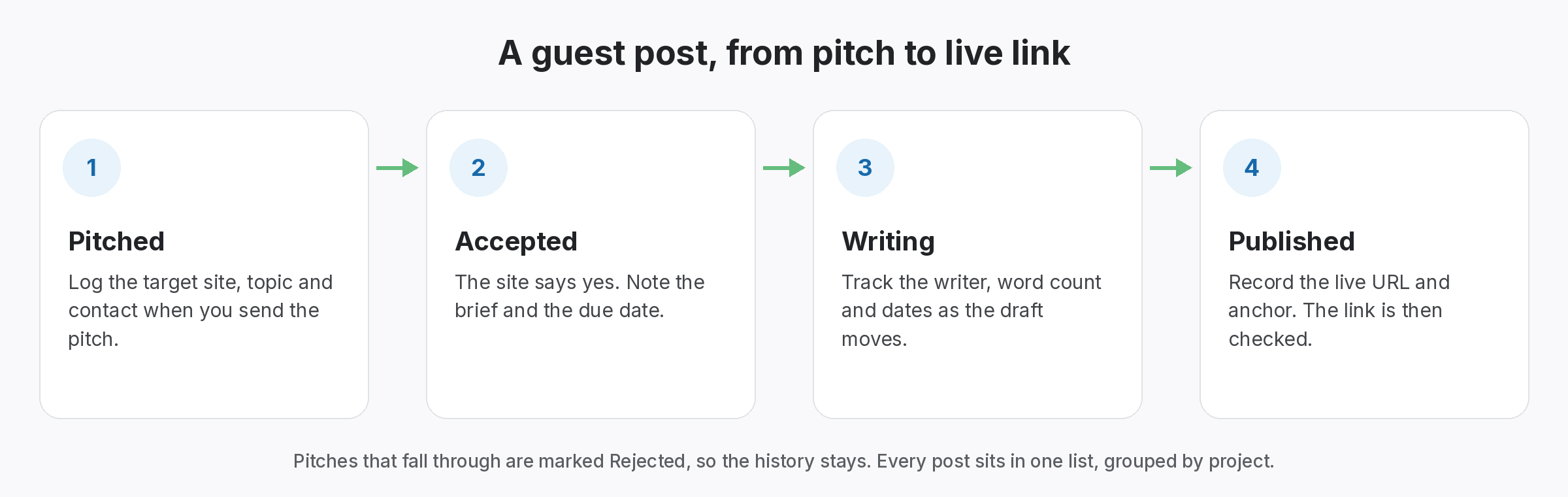
SEOENV tracks guest posts from pitch to live link, then keeps checking.
Too many “it’s live” emails turned out to mean the post was live but our link was not quite what we agreed. This guest post backlink checker runs the same checks we do by hand, all at once, before anyone marks the job finished.
What a guest post backlink checker cannot judge for you
A tool can confirm the link exists and read its attributes. It cannot tell you whether the placement was a good idea. That depends on the site, the audience and how the link was arranged.
Google’s link spam policies mention guest posts with optimised anchor text, so an exact-match anchor in a guest post is worth a second thought. If the host added rel=”sponsored” or rel=”nofollow”, that follows Google’s guidance on qualifying outbound links. Talk to the editor before you push back.
For the full process, read our guest posting process guide and the guest post outreach email examples.
