
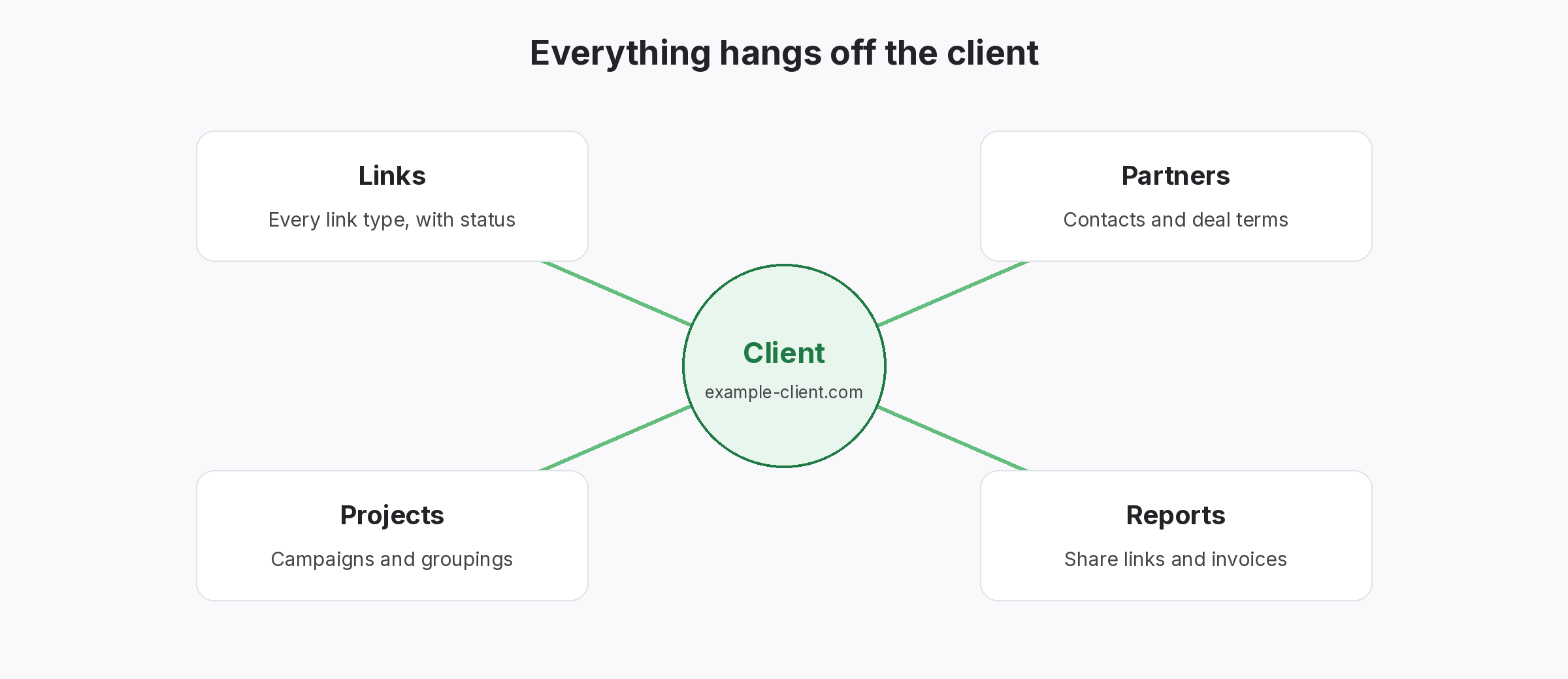
B2B companies earn links from partners, industry publications, integration directories and guest articles. Also, because sales cycles are long, those links need to last, and somebody needs to know they still exist. SEOENV keeps every link in one place, grouped by project, with a status from the last check.
Link tracking for B2B companies
Why links get lost at B2B companies
Many teams touch links, but nobody owns the list.
Links at B2B companies usually come from several teams, such as partnerships, PR, product marketing and SEO, especially at larger firms. However, each team keeps its own notes. So nobody has a full list, and links on partner pages quietly disappear when those partners update their sites.
For example, picture a software company with a dozen technology partners. At first, each partner page linked back, but after a few redesigns, several links are gone. Once the marketing team puts every link in one record and checks them, it can ask partners to restore the missing ones.
Scattered owners
PR, partnerships and SEO each keep notes.
Partner page changes
Integration pages get rebuilt without warning, so links vanish.
No leadership view
Leaders cannot see what links exist.
How B2B companies use SEOENV
Simple steps, using live features.
- Create projects: one per site, product or campaign.
- Import existing lists: bring every team’s sheet in by CSV.
- Record partners: one record per partner, with contacts and notes.
- Track guest articles and listings: industry publications and directories.
- Check and share: check links, then share one read-only report link.
Partner links for B2B companies
Some of the most relevant links you have.
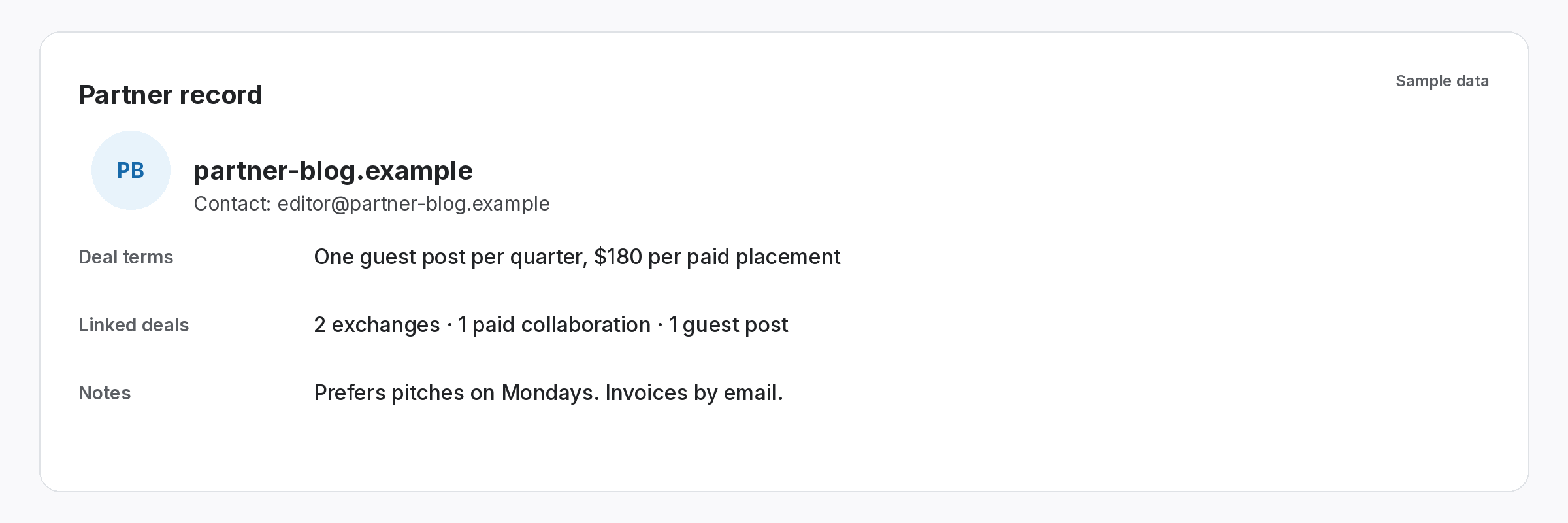
Technology partners, resellers and integration directories often link to each other, especially on integration pages. Because these links come from real business relationships, they tend to be highly relevant. However, they break when partner pages change. So record each one against the partner, and check it regularly. In addition, Google’s guide to qualifying links explains the rel values partners may use.
- Partner record: contacts and notes.
- Link: page, target and anchor.
- Check: status and rel value.
Report links to leadership at B2B companies
One page, current status.
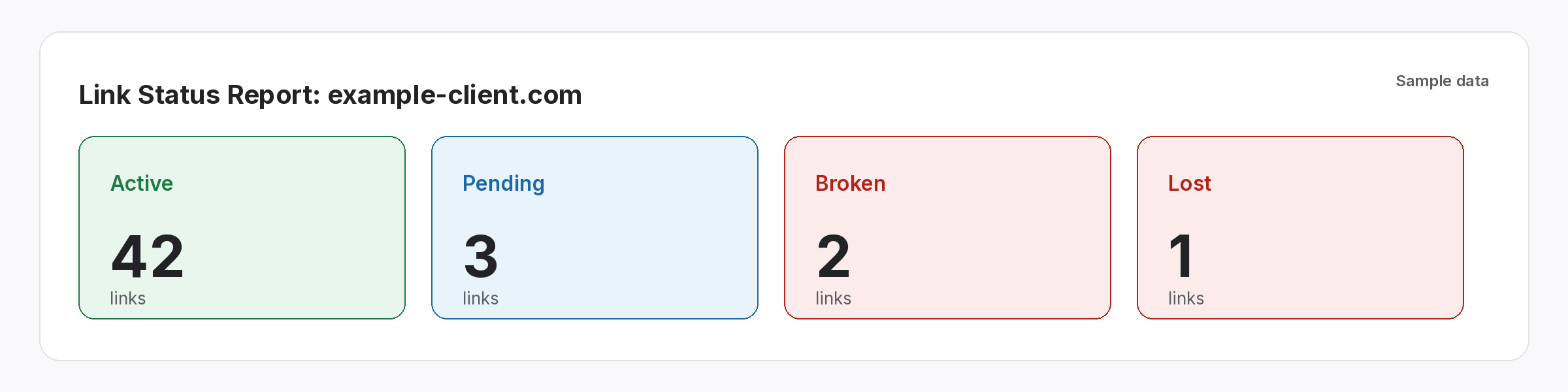
After all, leadership rarely wants a spreadsheet. Instead, share one read-only report link that shows which links exist and which changed. Then the same link works every quarter. Besides, our guide to the link building executive report covers what leaders want to see.
- Summary: active, lost and pending.
- Detail: each link with status.
- Always current: updated after checks.
One list of links, whichever team built them.
Then check it, and share it.
SEOENV features for B2B teams
All of these are live in the app today.
B2B teams often have more valuable links than they realise, spread across several departments. So this page shows how to gather them in one place.
Link building advice for B2B companies
To begin with, start with the links you already have a right to: partners, customers who write case studies with you and associations you belong to. Then add guest articles in industry publications. Also, our guide to relationship-based link building covers the approach, and the SaaS link report covers reporting for software firms.
Also, keep anchors natural and links relevant. In addition, Google’s spam policies apply to every industry. For in-house teams in particular, our guide to in-house link building explains how to share the work across departments.
Finally, review the list each quarter. Often, partner pages change after product launches or rebrands, so a quarterly check catches most losses. Then ask the partner team to follow up, because they already know the contacts.
Questions from B2B companies
Can several teams share one link list?
Yes. Import each team’s sheet into one account, then group links by project.
Can I track partner and integration links?
Yes. Record each link against the partner who placed it, so you know who to contact.
Can leadership see the links?
Yes. As soon as you share a read-only report link, they can open it any time.
Does SEOENV check links automatically?
Links are checked daily on paid plans (Starter+), while Check all is on every plan.
Is there a free plan?
Yes. No Commitment. No Credit Card Required.
Gather every team’s links in one place.
Import your lists, check them and share one report link.
