
Nofollow change detection: catch the day a partner switches your link
Nofollow change detection catches a link that stays on the page but stops passing value. SEOENV does it by reading the rel attribute every time it checks a link, so a placement that was Dofollow and now reads Nofollow stands out.
Without nofollow change detection, the switch is easy to miss
A removed link is obvious when you look. A changed attribute is invisible.
After that, open the page, and the link is exactly where it was. Same anchor, same position, still clickable. Still, the only change is a few characters in the HTML that you would never see without viewing source:
Before: <a href="https://yoursite.com/guide/">garden guide</a>
After:  <a href="https://yoursite.com/guide/" rel="nofollow">garden guide</a>
On the other hand, picture an agency with link swaps across fifty partner sites. Meanwhile, One partner installs a plugin that adds nofollow to every external link. As a result, Nothing looks different on their pages, and nobody on either side mentions it. Without nofollow change detection, the swap looks balanced on paper long after it stopped being so.
Plugins and themes
Even so, some site tools add nofollow to all outbound links by default after an update.
Policy changes
Finally, a publisher reviews its linking policy and qualifies links across old posts.
Editorial edits
An editor refreshing a post adds a qualifier while updating the copy.
How nofollow change detection works in SEOENV
Every check reads the rel attribute, not only whether the link exists.
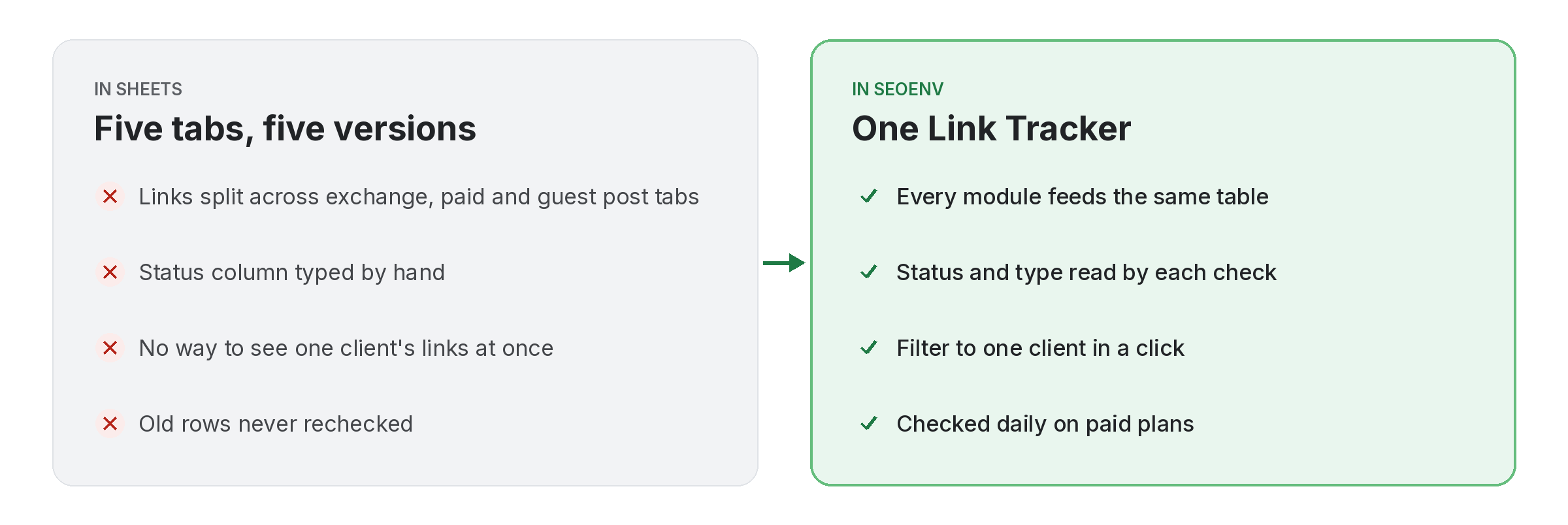
In other words, each check fetches the source page, looks for your link and reads its rel value. The link’s type in the Link Tracker then shows Dofollow, Nofollow or Unknown. If a link you logged as followed now reads Nofollow, that is your signal.
- Checked daily: on Starter, Growth and Enterprise, every logged link, every day.
- Checked on demand: Check all on any plan, including Free.
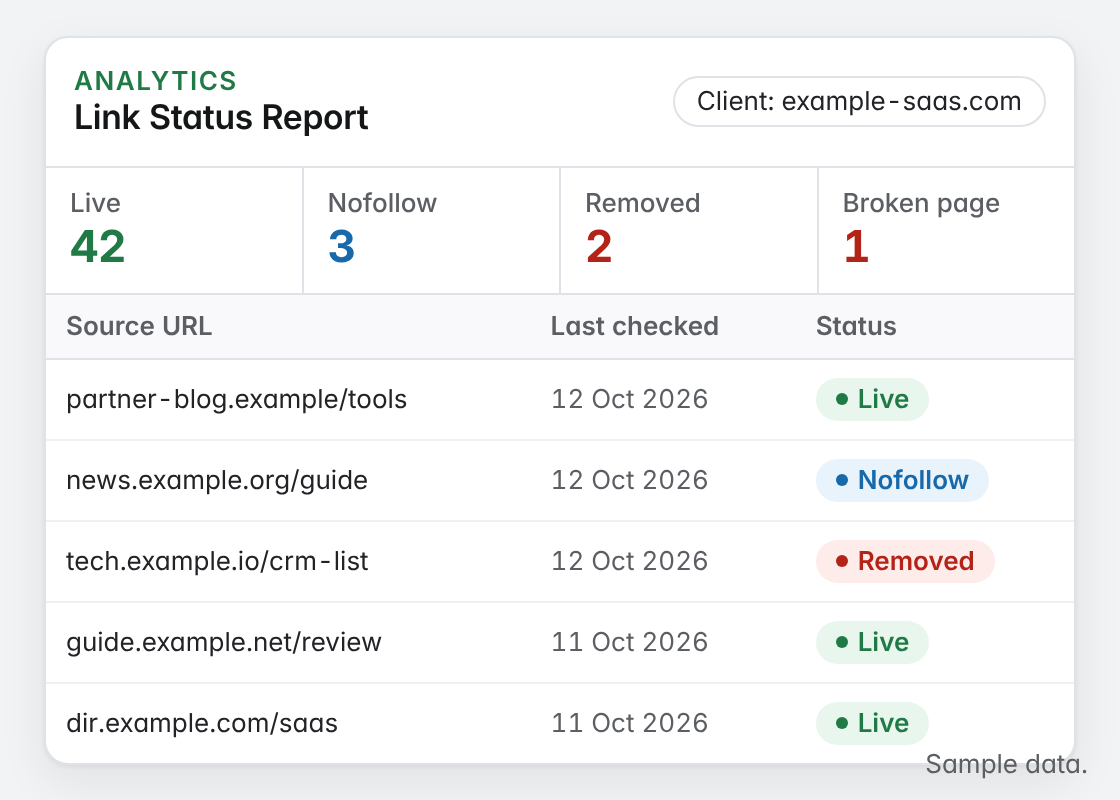
- Shown by client: the Link Status Report makes Nofollow links stand out from Active ones.
After nofollow change detection: what to do that week
For example, Move quickly, stay friendly, and bring the record.
- Confirm it yourself. Open the page source and look at the link. Our free dofollow link checker reads it for you.
- Check what you agreed. Look at the partner record and the deal notes. If nothing was agreed about the link type, you have a request, not a complaint.
- Ask, do not accuse. In other words, “Hi [name], the link to [page] on [post URL] now carries nofollow. Our notes say we agreed a followed link. Was that a deliberate change?”
- Record the answer. Add the reply to the link record. If it is a site-wide policy, every link from that partner is likely affected.
Not every nofollow is a problem
Instead, Publishers have good reasons to qualify links, and Google asks them to in some cases. A change is worth raising when it breaks an agreement, not simply because it happened.
- Sponsored or advertising placements are expected to carry a qualifier under Google’s guidance.
- Comment and forum links are often marked as user-generated by the platform.
- Swaps and editorial placements are where an unexplained change deserves a conversation.
A swap is only balanced if both links still count.
So Reading the type on every check keeps both sides of the deal honest.
Where nofollow change detection shows up in SEOENV
Even so, Live SEOENV features that use the rel value from each check.
Link Tracker
In fact, every link with its current status and type, filterable by client and type.
Master Link Exchange
Still, Gave vs got for each swap, with both links checked.
Link exchange tracking
How teams keep swaps fair across many partners.
Automatic backlink checker
The daily check behind every status and type.
We used to discover nofollow switches months late, usually while preparing a report. Reading the rel value on every check costs nothing extra once the page is fetched, so we made it part of every check rather than a separate audit.
Nofollow change detection and Google’s rel guidance
Google describes nofollow, sponsored and ugc in its guide to qualifying outbound links, and treats them as hints. A link with a qualifier may pass less value than one without. That is why the type matters as much as the status when you report on links you built.
Nofollow change detection is most useful where both sides agreed on terms, such as exchanges and editorial placements. For the background on link types, read nofollow vs dofollow. For the steps to take when it happens, see our guide to links changed to nofollow.
Questions about nofollow change detection
How does SEOENV detect a nofollow change?
However, every check reads the rel attribute on your link. The type then shows as Dofollow, Nofollow or Unknown, so a link that turns nofollow shows the new type after the next check.
How quickly will I see a change?
Paid plans check every link daily. On the Free plan, the type updates when you run Check all.
Does SEOENV contact the partner for me?
Instead, No. SEOENV shows the change and keeps the partner details and notes. You decide whether and how to follow up.
Should I always push back on a nofollow?
Rather, No. Sponsored placements and user-generated content should carry qualifiers. Raise it when the change breaks something you both agreed.
Can I see all nofollow links for one client?
Yes. For example, Filter the Link Tracker by client and link type, or open the Link Status Report for that client.
See every link’s type, not just its status.
Log your links once. Finally, SEOENV reads the rel value every time it checks them.
