
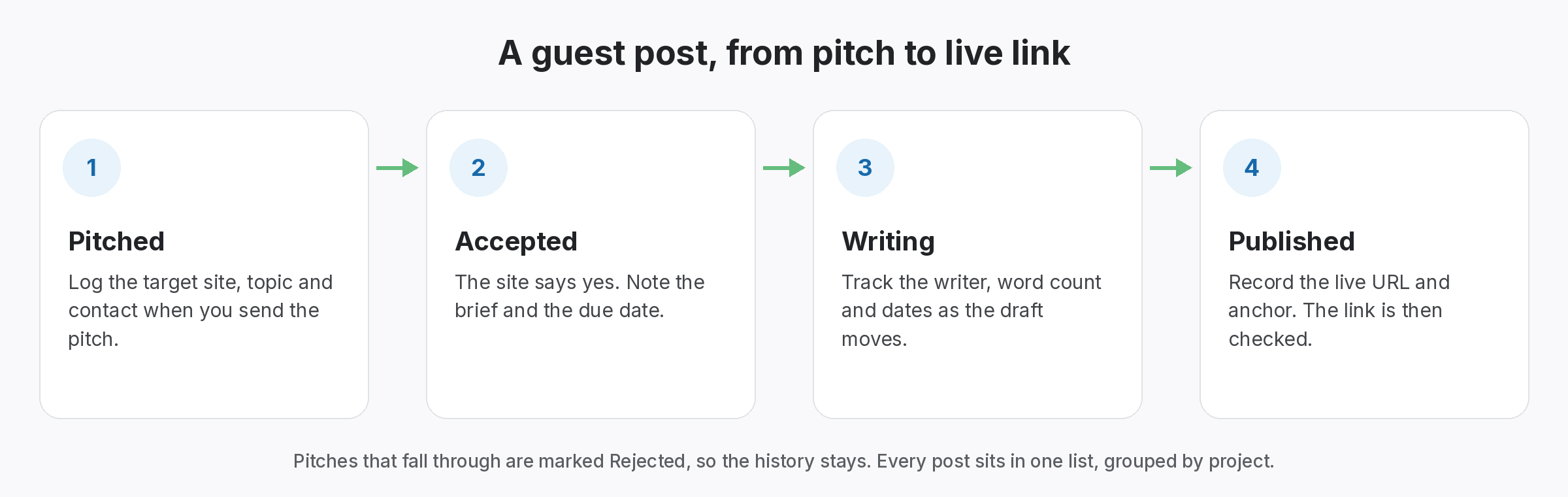
A guest post tracker sheet keeps every article in one row, from the first pitch to the live link. Without it, however, pitches, drafts and published posts end up in inboxes and notes. So download the CSV, add a row per article and update the stage as it moves.
Guest post tracker sheet template
Guest post tracker sheet
One row per article, so update the stage as it moves, and fill the link columns once the post is live.
| Site | Contact | Topic | Stage | Pitched on | Published on | Live URL | Target page | Anchor | Link status | Notes |
|---|---|---|---|---|---|---|---|---|---|---|
| homeblog.example | Priya (editor) | Choosing kitchen taps | Published | 2026-08-04 | 2026-09-12 | homeblog.example/kitchen-taps | /kitchen-taps/ | kitchen tap guide | Active | Editor asked for one more image |
| diyhub.example | Tom | Fixing a dripping tap | Writing | 2026-09-20 | /repairs/ | Acme Plumbing | Draft due 15 October | |||
| renovate.example | Editorial team | Bathroom planning | Pitched | 2026-10-02 | /bathrooms/ | Follow up after two weeks |
The CSV opens in Google Sheets, Excel or Numbers.
Why you need a guest post tracker sheet
Guest posts take weeks, so details get lost.
Often, a guest post takes several weeks from pitch to publishing. Meanwhile, you are juggling other pitches, drafts and edits. So without one sheet, it is easy to forget a follow-up or lose the live URL.
For example, picture a builder with fifteen articles in progress across ten sites. Once she moves them into a guest post tracker sheet, she sees two pitches waiting for a follow-up and one published post she never recorded. Then she fixes all three in an afternoon.
Forgotten follow-ups
Pitches sit unanswered because nobody remembers them.
Lost live URLs
The post goes live, but the link never gets recorded.
No link checks
Nobody checks the link once the post goes live.
What each guest post tracker sheet column is for
Keep it to what you update, otherwise it goes stale.
- Site and contact: where the article goes and who you deal with.
- Topic and stage: the working title and where it is: pitched, accepted, writing or published.
- Dates: when you pitched and when it went live.
- Live URL, target and anchor: the link details once published.
- Link status: Active, Lost or Broken, from your latest check.
- Notes: edits and deadlines, as well as anything the next person needs.
Move rows through the guest post tracker sheet
One stage at a time, until the post is live.
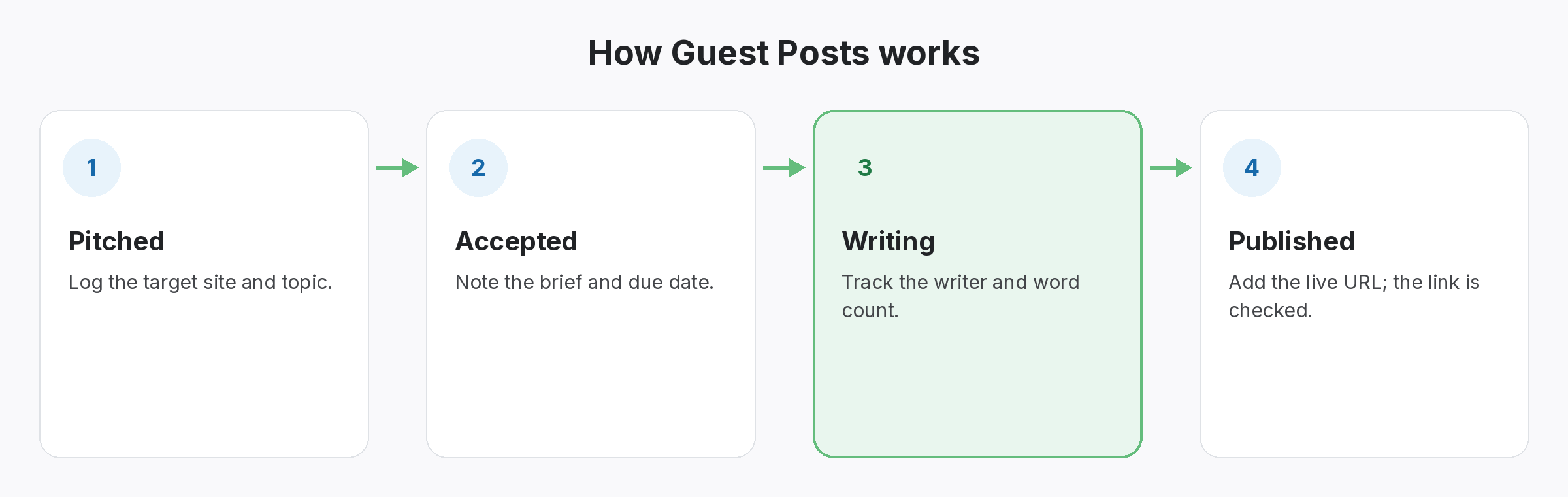
First, add a row when you pitch. Then update the stage when the editor accepts, when writing starts and when the post goes live. Finally, add the live URL and check the link. Because every article follows the same stages, you can sort the sheet and see what needs attention.
- Pitched: date and contact.
- Accepted and writing: deadline in the notes.
- Published: live URL, target and anchor.
Keep the guest post tracker sheet honest
A live link today may not be live next month.
Once a post is live, the work is not over. Besides, editors update articles and sometimes remove or change links. So recheck published rows regularly and update the status column. In addition, our guest post backlink checker checks a single post for free.
- Recheck: published rows, regularly.
- Update: status and rel value.
- Follow up: when a link drops.
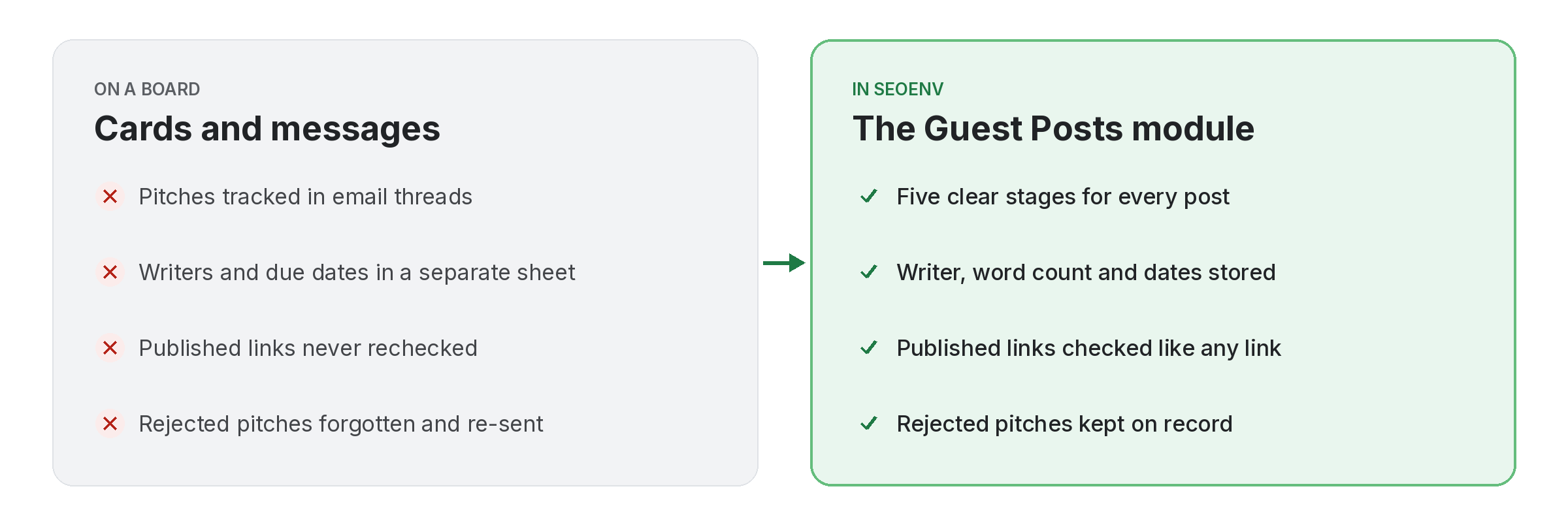
One row per article, with every stage recorded.
Then check the link after it goes live.
SEOENV features for guest posts
All of these are live in the app today.
Most guest post problems we hear about are tracking problems: a missed follow-up or a link nobody checked. So this sheet covers the columns that prevent both.
When a guest post tracker sheet stops being enough
At first, a sheet works well for a handful of articles. However, once several people share it, versions drift and the status column goes stale. Besides, our guide to link building spreadsheet problems covers the signs, and our guide to guest post pitch tracking covers the pitching side.
Also, remember that guest posts should help readers first. In addition, Google’s spam policies describe large-scale guest posting with keyword-rich anchors as a problem. So keep anchors natural; our guide to guest post anchor text explains how.
Questions about the guest post tracker sheet
What should a guest post tracker include?
Site, contact, topic, stage, dates, live URL, target page, anchor, link status and notes.
Is the template free?
Yes. Download the CSV and use it in any spreadsheet app.
How often should I update it?
Whenever an article changes stage, and recheck published links regularly.
Can I import the sheet into SEOENV?
Yes, as long as you save it as a CSV and map the columns to SEOENV fields.
Does SEOENV check guest post links?
Yes, links are checked daily on paid plans (Starter+), and Check all is on every plan.
Outgrowing the sheet?
Import it into SEOENV, then track every article and link in one place.
