
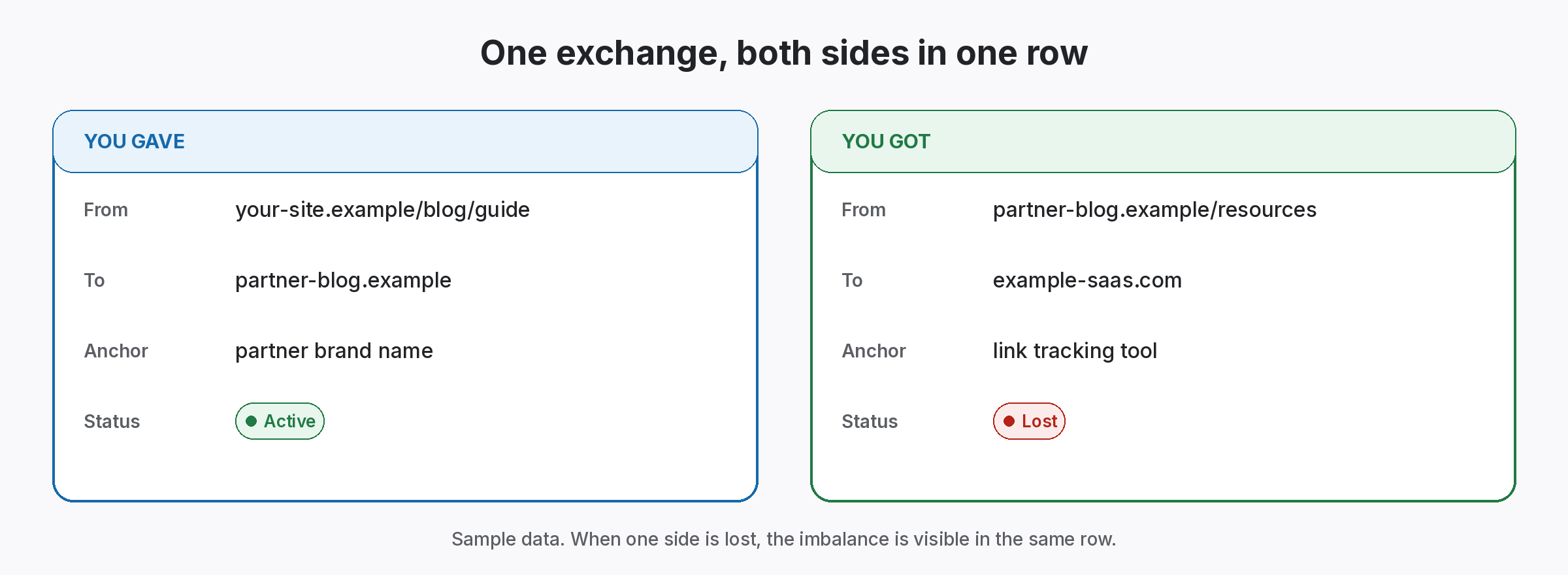
A link exchange tracker sheet records both sides of every swap in one row: the link you gave and the link you got. Most swap disputes start because only one side was written down. So download the CSV, add a row per exchange and check both links on the same day.
Link exchange tracker sheet template
Link exchange tracker sheet
One row per exchange, so record both sides, then check both links on the same day.
| Partner | Contact | Type | Link you gave (page) | Their target | Link you got (page) | Your target | Gave status | Got status | Agreed on | Notes |
|---|---|---|---|---|---|---|---|---|---|---|
| gardenhub.example | Sam | Direct | yoursite.example/tools-guide | gardenhub.example/pruning | gardenhub.example/resources | /garden-tools/ | Active | Active | 2026-07-14 | Both followed, as agreed |
| greenleaf.example | Ana | Direct | yoursite.example/soil-tips | greenleaf.example/compost | greenleaf.example/blog/soil | /soil-testing/ | Active | Lost | 2026-06-02 | Their link removed in a redesign; follow up |
| siteA.example / siteC.example | Joe | ABC | siteA.example/patio-ideas | partner target | siteC.example/outdoor | /patio-sets/ | Active | Active | 2026-08-21 | Three-site exchange; both sides recorded |
The CSV opens in Google Sheets, Excel or Numbers.
Why a link exchange tracker sheet needs both sides
Half a record causes most disputes, because memories differ.
Usually, teams record the link they received and forget the one they gave, or the reverse. Then, months later, one side disappears and nobody can say what was agreed. So the conversation with the partner starts from memory instead of a record.
For example, picture two site owners who swapped links in spring. Later, in autumn, one of them notices their link is gone. Because their link exchange tracker sheet has both sides and the agreed date, they can send a short, specific note instead of an awkward guess.
One-sided records
You record only the link you got, so you lose the other side.
Unchecked partner links
Nobody checks the partner’s side once the swap goes live.
Forgotten terms
Nobody remembers whether links were followed.
What each link exchange tracker sheet column records
Both sides, plus what you agreed.
- Partner and contact: who you swapped with and how to reach them.
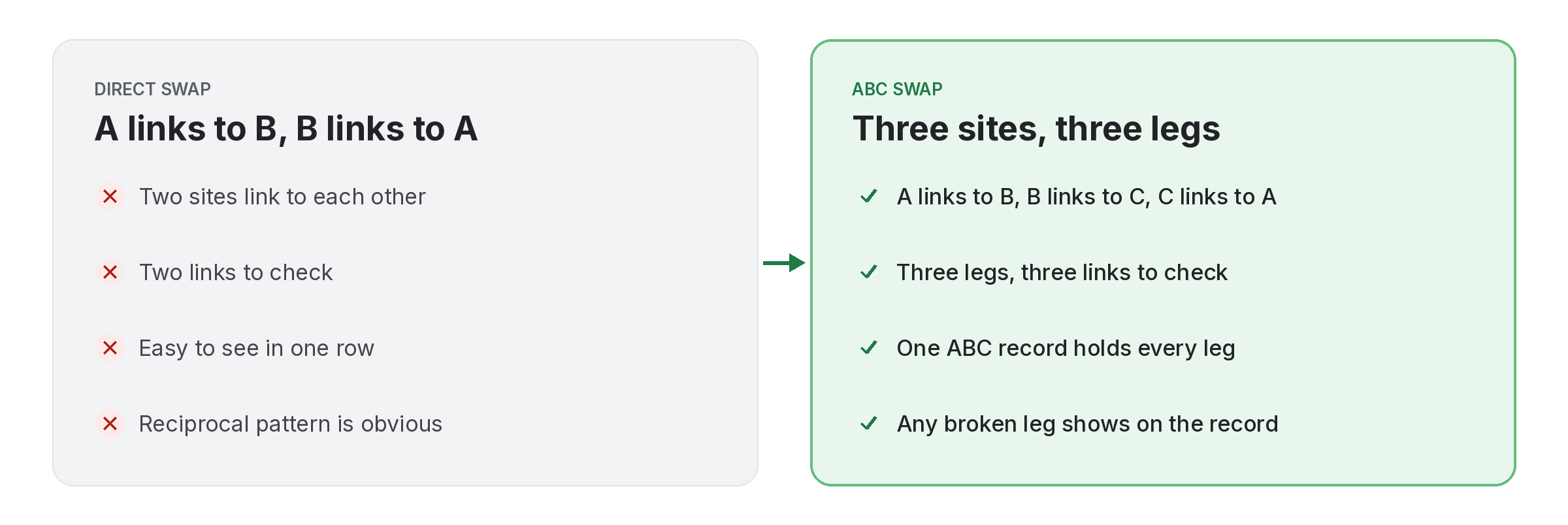
- Type: direct, or ABC for a three-site exchange.
- Link you gave: the page on your site and the partner’s target.
- Link you got: the page on their site and your target.
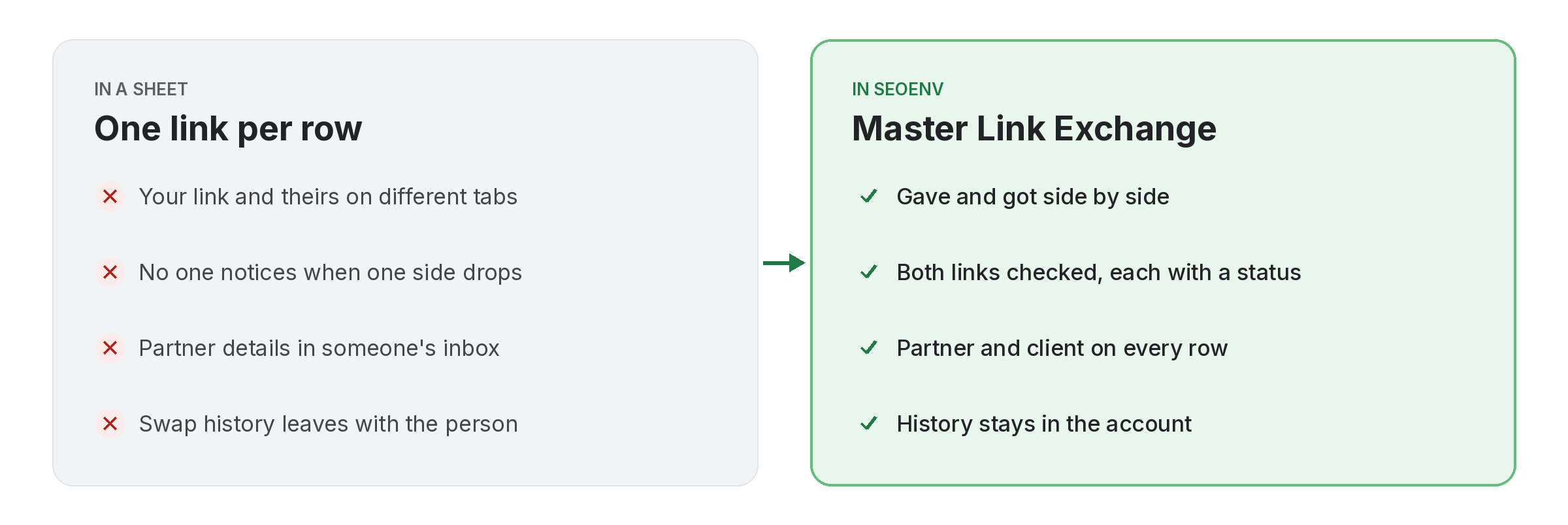
- Status for each side: Active, Lost or Broken, from the same check.
- Agreed on and notes: the date and terms, such as followed links.
Check both sides of the link exchange tracker sheet
Same day, same check.
Whenever you check, check both columns together. If your link is live and theirs has gone, you want to know before the partner does the same check. Also, record rel values; a followed link that turns nofollow changes the terms. In addition, our link exchange fairness checker compares two sides for free.
- Gave status: your link on your site.
- Got status: their link on their site.
- Rel values: followed or nofollow, as agreed.
Recording ABC swaps in a link exchange tracker sheet
Three sites, still one row.
In an ABC exchange, you link from site A to the partner, and the partner links from site C to you. So the giving and receiving sites differ. Still, keep both sides in one row and name both of your sites in the partner column, so the exchange stays readable. Besides, our guide to ABC swap mistakes covers the common problems.
- Site A: the site that gives the link.
- Site C: the site that receives it.
- One row: both sides, one record.
Write down both sides, otherwise expect a dispute.
One row, two links, one check.
SEOENV features for link exchanges
All of these are live in the app today.
ABC Link Exchange
Three-site swaps, kept clear so nobody gets confused.
The swap problems we hear about most come from missing records, not bad partners. So this sheet is the smallest record that prevents them.
Using a link exchange tracker sheet safely
Often, exchanges between relevant sites can be natural. However, Google’s spam policies list excessive link exchanges as a problem. So keep swaps relevant and limited; our guide to how many link exchanges are too many covers the warning signs.
Also, a tracker makes patterns visible. If one partner keeps losing links, or most swaps use the same anchor, you will see it in the sheet. Also, our link swap checklist covers what to agree before a swap, and link exchange hygiene covers the routine afterwards.
Questions about the link exchange tracker sheet
What should a link exchange tracker include?
Partner, type, both links and targets, status for each side, the agreed date and terms.
Why record both sides?
Because disputes start when one link disappears and nobody wrote down the other.
How do I record an ABC exchange?
Keep both sides in one row and name both of your sites.
Can I import the sheet into SEOENV?
Yes, as long as you save it as a CSV and map the columns to SEOENV fields.
Does SEOENV check both sides?
Yes, both links are checked daily on paid plans (Starter+), and Check all is on every plan.
Check both sides of every swap.
Import your sheet, then see the status of each link together.
