
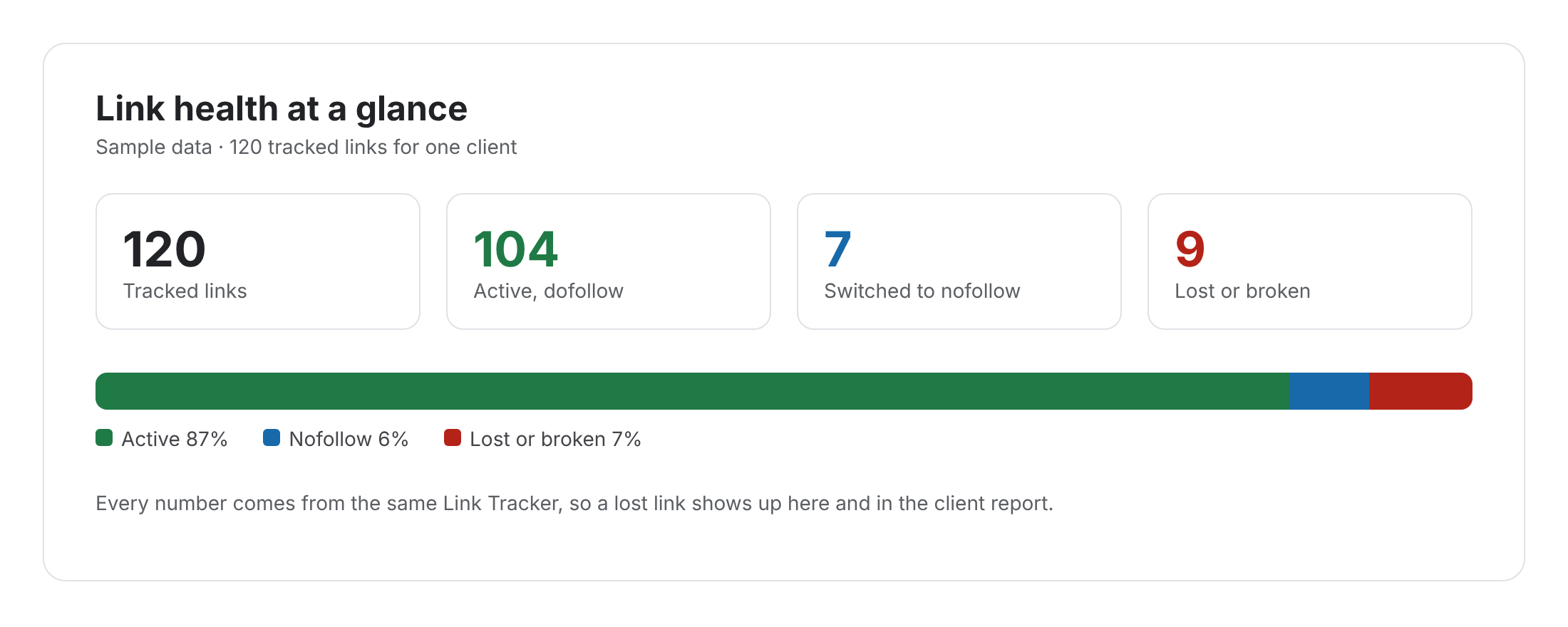
A link profile is the full set of links pointing at a site: who links, to which pages, with which anchors and attributes. Also, people call it a backlink profile. Usually, SEOs look at it as a whole, because patterns across many links say more than any single one.
Link profile: definition and how to review one
Why a link profile is hard to judge
No single number describes it.
Often, people reduce links to one metric, such as a count or a domain score. However, two sites with the same count can look completely different: one with links from relevant blogs, the other from unrelated directories. So the shape matters more than the size.
For example, picture two clients with similar link counts. When the agency looks closer, one has links from twenty industry sites with varied anchors. Meanwhile, the other has most links from a handful of swaps, all with the same exact-match anchor. Indeed, they need very different plans.
Counts mislead
More links is not always better, especially from weak sites.
Tools disagree
Each crawler sees a different slice, so counts differ.
Patterns hide
Problems show only when you group links.
What makes up a link profile
Five things to look at together, rather than one by one.
- Referring domains: how many different sites link to you.
- Target pages: which of your pages get links, and which get none.
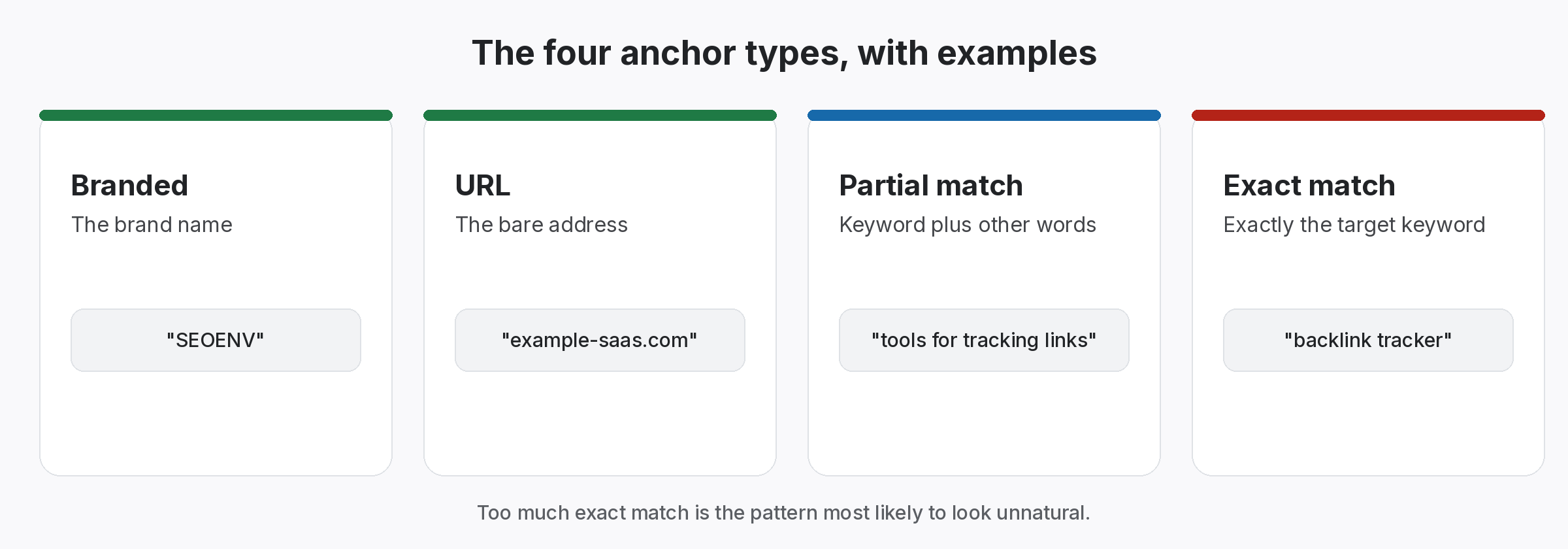
- Anchor text: the mix of branded, URL, partial and exact-match anchors.
- Link types: guest posts, swaps, listings, mentions and editorial links.
- Attributes: followed, nofollow, sponsored or ugc.
What a natural link profile tends to look like
Varied, relevant and uneven.
Usually, a natural set of links is messy. Typically, most anchors are branded or URLs, many links point at the homepage and a few strong pages earn most of the rest. Also, links arrive unevenly over time. In addition, Google’s anchor text guidance and its link spam policies explain why forced patterns stand out.
- Anchors: mostly branded and URL.
- Sources: many sites, rather than a few.
- Timing: uneven, not a steady drip.
Review the part of your link profile you control
Start with the links you built.
Of course, you cannot see every link a crawler finds, and you cannot control most of them. However, you can control the links you built or arranged. So keep those in one record with their type, anchor and status. Then review the mix regularly, and adjust plans before a pattern forms.
- Record: every link you built.
- Group: by anchor type, then by link type.
- Check: status and rel value over time.
Judge the shape, not just the size.
Patterns tell you more than counts.
Review the links you built
Free tools and live SEOENV features.
Clients often ask whether their links “look natural”. We wrote this definition so the answer starts from what a natural set of links actually includes.
Improving a weak link profile
To begin with, find the gaps: important pages with no links, or anchors that lean too far one way. Then plan the next links to fill them. Besides, our guide to a natural link profile covers the targets, and our guide to link types mix covers variety.
Also, do not panic over a few odd links. Usually, search engines ignore most low-quality links, and our guide to toxic backlinks explains when action is worth it. Finally, for anchors, see anchor text risk review.
Questions about the link profile
What is a link profile?
In short, the full set of links pointing at a site, including sources, targets, anchors and attributes.
Is it the same as a backlink profile?
Yes, in fact, both terms describe the same thing.
What does a natural one look like?
Usually, varied sources, mostly branded or URL anchors and uneven timing.
How do I check mine?
Use a crawler-based tool for all links, and your own records for the links you built.
Can SEOENV show my anchor mix?
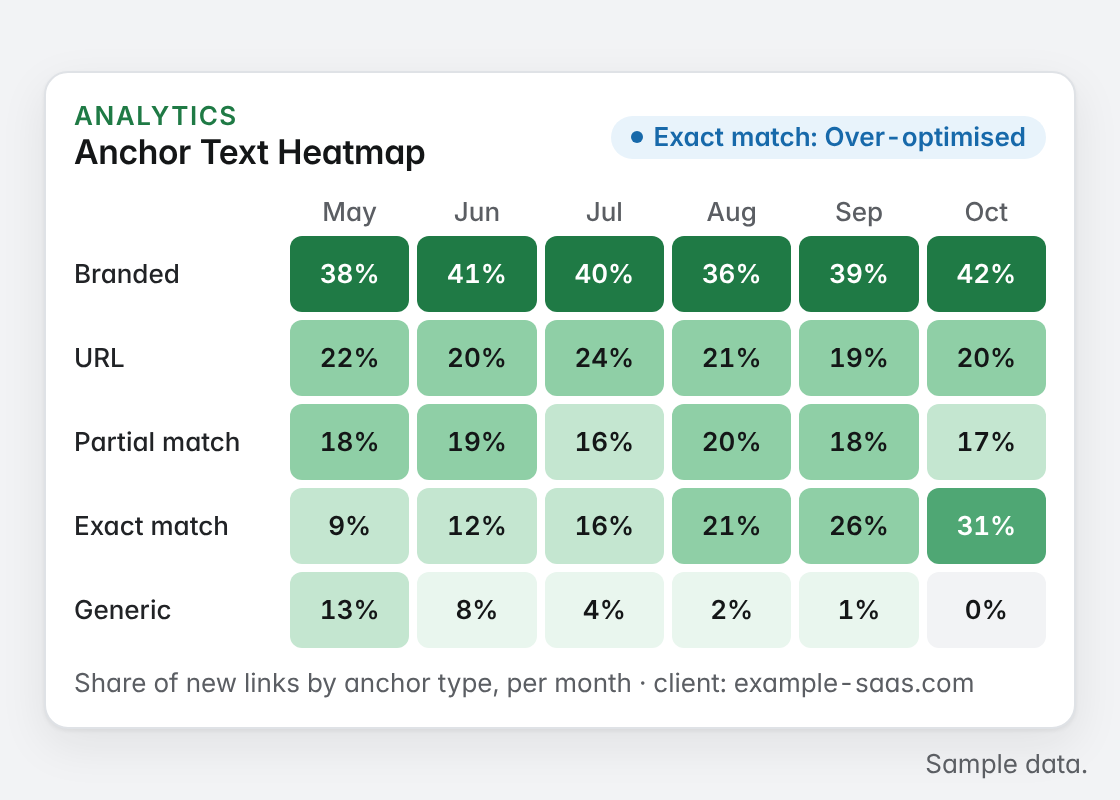
Yes, the Anchor Text Heatmap groups anchors by type and month on the Growth plan.
How do I check backlink profile health?
Look at who links to you, how relevant they are, how anchors are spread and how many links are followed. The Links report in Google Search Console is a free place to start.
What does a backlink profile tool add?
Index tools show links you did not know about. SEOENV shows the live status and type of the links you built, and on the Growth plan an anchor text heatmap across them.
See the links you built in one place.
Group them by anchor and type, and check each one.
