
Anchor text checker: see how your anchors split by type
This free anchor text checker sorts the anchors pointing at your site into branded, URL, exact match, partial match and generic. Add target URLs and it shows the mix for each page, so lopsided targets stand out.
Sort your anchors into types
Paste the anchor text of links pointing at your site. The checker groups each anchor as branded, URL, exact match, partial match, generic or other, and shows the mix overall and per target page.
Runs in your browser. Nothing you paste is sent to SEOENV or anyone else.
Why an anchor text checker helps: problems build one link at a time
No single anchor looks risky. The pattern across fifty of them is what you need to see.
Every link builder has a favourite anchor for a page. It is usually the keyword the client cares about most. So each new placement asks for it, each editor obliges, and six months later most links to that page say the same three words.
Picture an agency taking over a client from another team. The first question is what the previous links look like. Instead of reading a spreadsheet row by row, paste the anchors into an anchor text checker and you get the shape of the profile in seconds.
How to use the anchor text checker
Three inputs, one paste, and the split appears below the button.
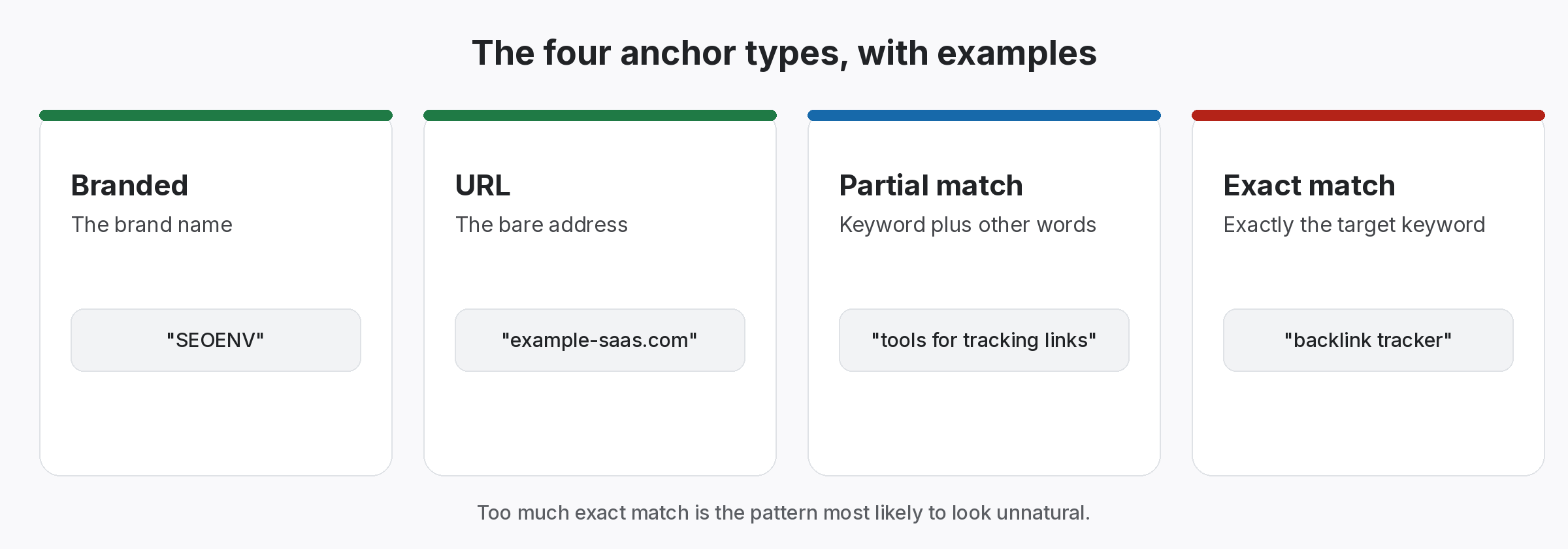
What each anchor text checker group means
Six groups, from the safest-looking to the most targeted.
The checker applies these rules in order, so an anchor that includes your brand counts as branded even if it also holds a keyword.
What the anchor text checker flags, and why it is only a prompt
Two simple patterns worth a second look.
Google does not publish an ideal ratio, so the checker does not pretend to. Instead it flags two patterns we look for ourselves when reviewing a profile. So treat them as a reason to read the links, not as a verdict.
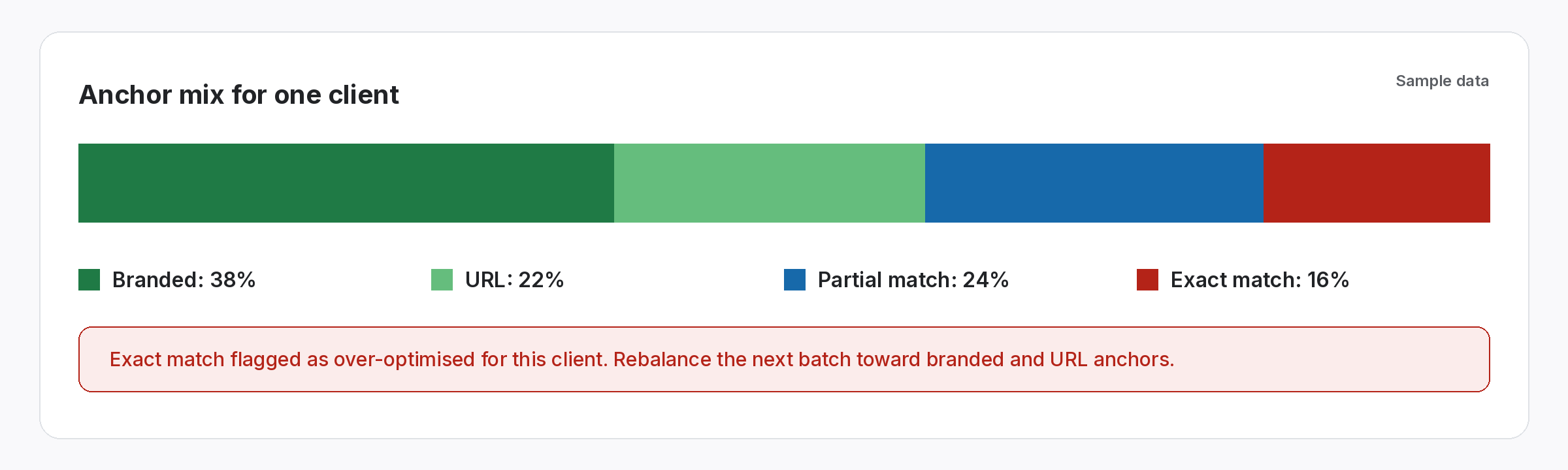
The mix changes every time you build a link.
A paste shows you today. Logging anchors as you build keeps the picture current.
Beyond the anchor text checker: track anchors with every link
SEOENV records the anchor with each link, whichever module it came from.
We used to sort anchors with spreadsheet formulas that broke whenever a new brand variant appeared. This anchor text checker uses the same grouping as SEOENV’s Anchor Text Heatmap, so you can try the logic on any list before you log a single link.
Using an anchor text checker without chasing a magic ratio
You will find plenty of articles quoting a perfect anchor percentage. None of those numbers come from Google. What Google does say is that anchor text should describe the page it points to, in its guidance on writing good anchor text. Its spam policies also list links with optimised anchor text in articles and guest posts distributed on other sites.
So an anchor text checker is most useful for comparison. For example, compare one target page with another, or this quarter with last quarter. A page whose links read like a natural mix of brand, URL and descriptive text is rarely a worry. A page where the same exact phrase dominates deserves a closer look.
For the background, read our guides to anchor text ratio and anchor text for SEO.
