
Lost backlink checker: find out why a link disappeared
This free lost backlink checker does two jobs. First, it compares an older list of linking pages with a newer one and shows which links dropped out. Then it reads the HTML of any linking page and tells you what happened: link removed, target changed, switched to nofollow, or the page itself gone.
Find lost backlinks and see why they went
Part 1 compares an older list of linking pages with a newer one and lists the links that dropped out. Part 2 takes the HTML of one linking page and tells you what happened to your link on it.
Part 1: compare two lists
Part 2: why did this link disappear?
Runs in your browser. Nothing you paste is sent to SEOENV or anyone else.
Compare two exports with the lost backlink checker
As a result, paste an older list and a newer one. Rather, the checker does the matching.
Then Paste linking page URLs, one per line, or paste a CSV export with a referring page column. The checker tidies each URL, ignoring tracking parameters, trailing slashes and www, so the same page isn’t counted twice. It then lists the pages that dropped out and the new ones that appeared.
- Still there: pages found in both lists.
- Dropped out: pages in the older list only. Check these first.
- New: pages in the newer list only.
Use the lost backlink checker to see why a link went
Of course, paste the page’s HTML and your domain.
After that, open the linking page, view the source, copy everything and paste it in. Of course, the lost backlink checker looks for every link to your domain and reports what it finds. If you add the page your link used to point to, it also tells you whether the link now goes somewhere else.
- No link and an error page: the post was probably removed or moved. Treat it as Broken.
- No link, page fine: the link was edited out. Treat it as Lost.
- Link there but nofollow: the link stayed but stopped being followed.
- Link points elsewhere: the target changed, on their side or yours.
Act on each lost backlink checker result
For example, One action per cause keeps follow-up short.
- Link still there: no email needed. Note that the tool export missed it.
- Edited out: email whoever agreed the placement with the post URL and the date it went live.
- Error page: ask for the post to be restored, or for a permanent redirect to its new address.
- Switched to nofollow: check what you agreed. Google treats nofollow, sponsored and ugc as hints about the link, so raise it only if the deal said followed.
- Target changed: if your own page moved, set up a redirect. If the editor changed it, ask why.
Most lost links are found months late.
Instead, a checker tells you why. Regular checks tell you when.
Beyond the free lost backlink checker
However, all of these are live in the app today.
Backlink monitoring
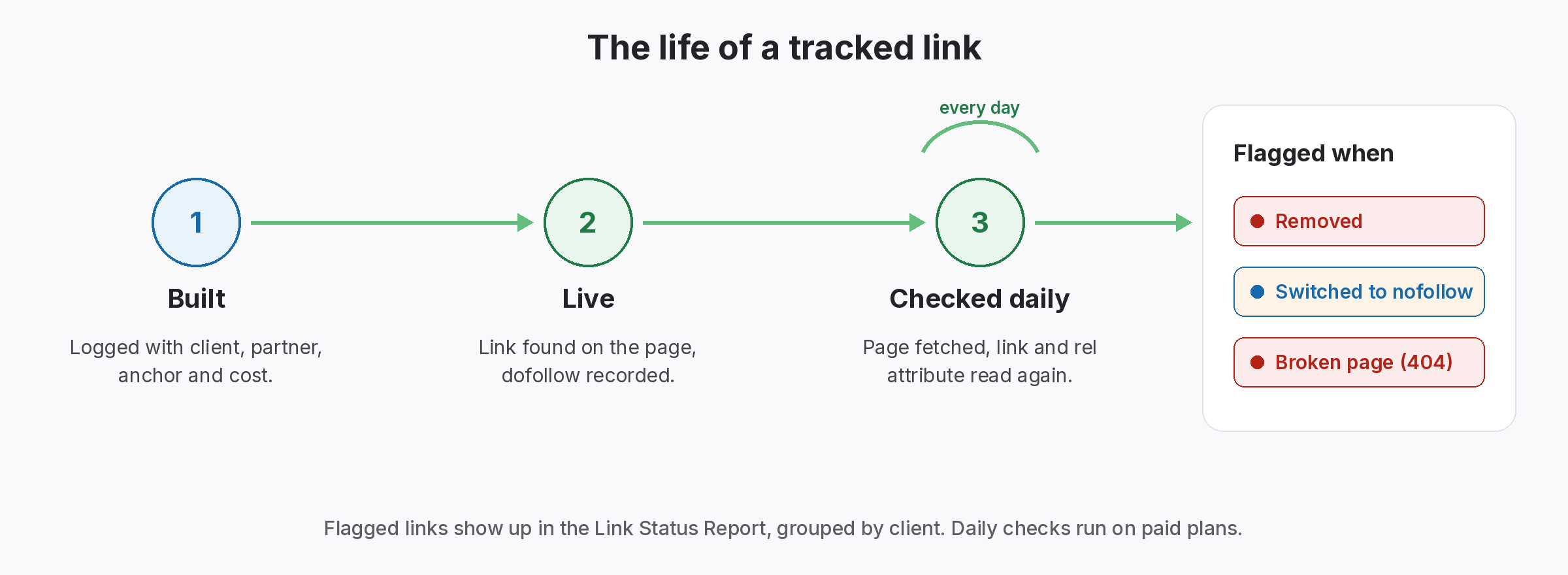
At the same time, every link you build, checked and given a status. Paid plans check daily.
Link Status Report
However, Lost, Broken and Nofollow links per client. From Starter.
Partners
Still, the contact and terms for each link, ready for the follow-up email.
Every lost link report we saw raised the same question: is it really gone, and if so, why? We built this lost backlink checker so you can answer that before writing to anyone.
When a lost backlink checker is not enough
Finally, a free lost backlink checker works on the lists and pages you give it. Also, it can’t see links you never recorded, and view-source HTML won’t show links that a site adds with scripts. However, For those, compare with what you see on the live page.
For links you built yourself, a running record works better than any export. Then Log each link once and have it checked on a schedule. For what to send when a link has gone, see the link reclamation workflow. For the usual causes, read why backlinks disappear, and for crawler gaps, backlinks not showing in Ahrefs.
Questions about the lost backlink checker
In addition, Is this lost backlink checker free?
Yes. At the same time, it runs in your browser, needs no sign-up, and nothing you paste leaves your device.
Why does a link show as lost when it is still on the page?
Of course, Backlink tools only see what their crawler fetched. If the crawler didn’t revisit a page, the link can drop out of an export while still being live.
For example, what formats can I paste?
As a result, One URL per line, or a CSV export with a referring page or source URL column.
Still, Can it check a page for me automatically?
No. Browsers block one site from fetching another’s pages, so you paste the HTML. For example, SEOENV checks the links you log for you.
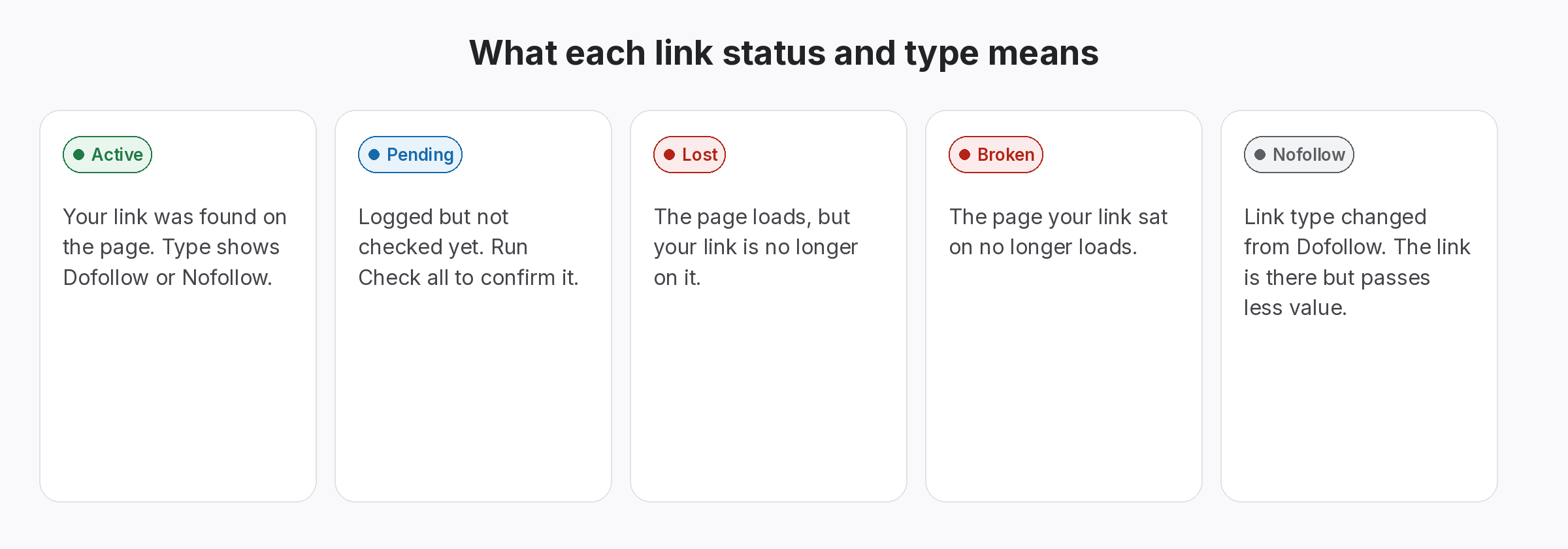
Even so, what is the difference between Lost and Broken?
Lost means the page loads but your link is gone. Rather, Broken means the page itself no longer loads.
Know the day a link goes, and why.
Log your links once. Rather, SEOENV checks each one and marks it Active, Lost, Broken or Pending.
