
A Lost Link Triage Workflow: Sort, Decide, Act
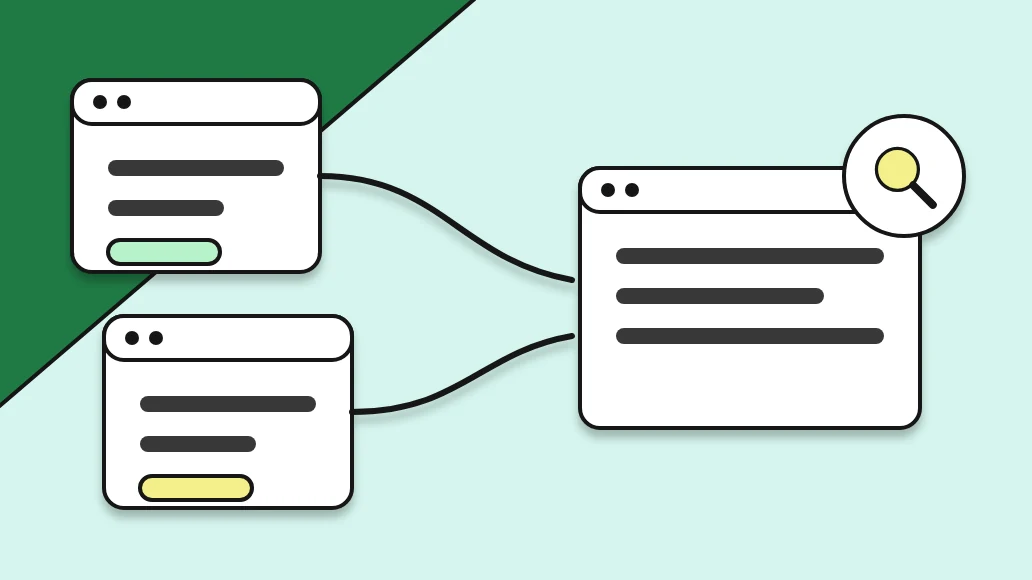
For example, this guide sets out a simple lost link triage workflow: confirm, sort, decide, record. It works for one link or fifty.
Lost link triage is what you do when a list of lost backlinks lands on your desk and you can't fix them all at once. Some losses matter a lot. Some don't matter at all. Meanwhile, some can be fixed with one email, and some are gone for good. In addition, triage is how you tell them apart quickly and spend your time where it counts.
Key takeaways on lost link triage
- In other words, lost link triage turns a list of losses into clear decisions.
- Confirm each loss on the page before you act.
- Sort by cause, then decide to reclaim, replace or let go.
- Record every outcome so patterns show up over time.
Why you need a lost link triage workflow
Instead, without a workflow, teams handle lost links in the order they notice them. The first one gets a long investigation. The tenth gets ignored because everyone's busy. Important losses wait while minor ones get attention.
In fact, picture an agency that runs its first full check after a few months and finds twenty lost backlinks across four clients. In addition, without triage, the team starts emailing partners alphabetically. Two weeks later, they've chased the easy ones and haven't touched the links that supported the clients' most important pages. On the other hand, a triage workflow would have sorted those to the top on day one.
Step 1 of lost link triage: confirm the loss
Before you act, make sure the link really is gone. Open the page yourself. Checks can report a loss for reasons that aren't permanent: a page that was briefly down, a site that blocked the checker for a moment, for example, or content that loads in a way the check didn't see.
Look for the link in the page. If it's there, the loss was a false alarm; recheck it and move on. If the page is missing, note whether it returns an error or redirects somewhere else. If the page is there but your link isn't, note that too. These details drive the next step.
Rather, in SEOENV, links that can't be found show as Lost, and pages that fail to load show as Broken. Running Check all again after a day or two is a quick way to confirm.
Step 2: sort lost backlinks by cause
Most losses fall into a few causes. As a result, sorting by cause tells you what kind of fix each one needs. Our guide on why backlinks disappear covers them in depth.
Page removed or moved
On the other hand, the page returns an error, or it moved to a new address without a redirect. Google's guide to redirects explains why a permanent redirect is the right fix when a page moves. Often, the editor can add one.
Link removed from the page
The page is there, but your link isn't. An editor may have updated the post, for example, or removed outbound links in a clean-up.
Link type changed
The link is still there but now carries nofollow or sponsored. Google's page on qualifying outbound links explains these values. Whether this counts as a loss depends on what you agreed.
Page noindexed
The page still exists but carries a noindex directive, as described in Google's robots meta tag documentation. You'll need to open the page source to spot this.
Whole site gone
In fact, the domain no longer resolves or now hosts something unrelated. There's usually nothing to reclaim.
Step 3: decide whether to reclaim or replace
With the cause known, decide what to do. There are three choices.
Reclaim when the editor can fix it: a missing redirect, a link removed by mistake, or a page that moved. A short, specific email usually works. Our link reclamation workflow and link reclamation email templates help.
Replace when reclaiming isn't possible and the link mattered: it supported an important target page, or the client expects a certain number of live links.
Let it go when the link was minor or the site has gone. Record it and move on.
To prioritise, look at the target page first. A lost link that supported a key commercial page deserves faster action than one pointing to an old blog post. Then consider the partner. At the same time, a partner who's usually responsive is worth an email the same day.
Step 4: record the triage outcome
Record what you decided and what happened. Did the editor restore the link? Did you replace it? Did you let it go? Add a date. This record does three jobs.
It tells the client what happened, honestly. Our guide on how to explain lost links to clients has wording for this.
It stops duplicate work. But nobody emails the same partner twice about the same link.
It shows patterns. Over a few months, you'll see which partners' links last and which causes come up most. That feeds into partner choices and your link survival rate.
Running lost link triage every week
Triage works best as a short, regular habit. Once a week, open the list of links that changed status, for example, and work through the four steps. Because the list is short, each loss gets proper attention, and partner follow-up happens while editors still remember the post.
SEOENV checks links daily on paid plans (Starter+), so the weekly list reflects what changed in the last seven days. In addition, on the Free plan, run Check all at the start of the session.
Lost link triage for teams
When several people share the work, agree who owns triage for each client. The owner confirms, sorts and decides. Outreach people may handle the emails. The account lead reports to the client. In fact, writing these roles down means nobody waits for someone else to start.
Finally, keep the triage workflow consistent across clients, too. For example, the same four steps, the same causes and the same three decisions make it easy to hand work between people and to compare results across accounts. Still, a new team member can learn the process in one session by sitting in on a weekly review.
Mistakes to avoid in lost link triage
The most common mistake is skipping the confirm step and emailing a partner about a link that's still there. For example, it wastes their time and yours, and it can damage the relationship. The second is treating every loss as equally urgent. Because of that, the third is not recording outcomes, which means the same questions come up again next quarter. And the fourth is replacing links before trying to reclaim them, when a short email would have been enough.
Frequently asked questions about lost link triage
What is lost link triage?
A short workflow for handling lost backlinks: confirm each loss, sort it by cause, decide whether to reclaim, replace or let go, and record the outcome.
Should I always try to reclaim a lost link first?
Usually, yes. Reclaiming takes far less effort than replacing, especially soon after the loss.
How do I decide which lost links matter most?
Start with the target page. Links supporting key pages come first, then those from responsive partners.
How often should I run lost link triage?
Weekly works well for most teams. The list stays short and editors still remember the post.
Wrap-up and sources
After that, use these primary sources to check anything in this guide:
- Google Search Central: Redirects and Google Search
- For example, Google Search Central: Robots meta tag specifications
- Google Search Central: Qualify your outbound links
How we wrote this guide. Still, kritika Das wrote it from day-to-day work logging and checking link exchanges, guest posts and paid placements, and checked each claim against the sources above. We update it when Google changes its guidance.
See every lost link with its partner and target
SEOENV marks links Lost or Broken and keeps each one tied to its partner and target page, so lost link triage starts with the facts.
Article written by
Kritika Das
Head of Marketing at SEOENV · Forbes-featured content writer
At the same time, kritika Das is Head of Marketing at SEOENV and a Forbes-featured content writer. At the same time, she writes about the operations side of link building: how agencies, freelancers and in-house teams log, check and report the links they build. Her guides come from day-to-day work with link builders and are checked against Google’s own documentation.

Leave A Comment